
| What are Linked Ideas? |
| Linked Ideas is a feature that lets members connect one idea to another based on relevance, using system-suggested keyword matches from each idea's title and description. |
Ideas can be linked to indicate how they relate to one another, using seven link types. The feature is visible to Members, Moderators, and the Community Administrator in different areas of the platform, and can connect ideas across different campaigns.
Role Permissions
- Member: Links ideas to one another from the idea submission form, the idea edit page, idea drafts, and the Idea Details page, and may receive an email notification when an idea they submitted is linked to another idea.
- Moderator: Links ideas to one another from the Moderator Dashboard, in addition to the same locations available to a Member.
- Community Administrator: Configures idea linking under Campaign settings >> Submission Tool, and views linked idea data in Idea Export Data and Idea Import Data.
TABLE OF CONTENTS
Link TypesFeature Visibility
Email Notification
Exceptions
Frequently Asked Questions
Link Types
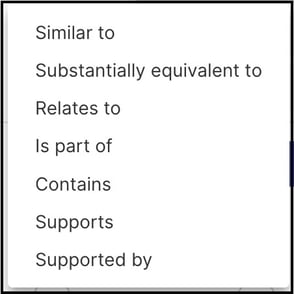
An idea can be linked to another idea using one of seven link types:
- Similar to: The idea is similar in content to another idea.
- Substantially equivalent to: The idea is substantially equivalent to, but not necessarily identical to, another idea.
- Relates to: The idea does not necessarily address the same issue or solution as another idea, but addresses a related aspect or uses a related approach.
- Is Part of: The idea is a small or substantial part of another, broader idea.
- Contains: The content of one idea is mostly contained within another idea.
- Supports: The idea supports another idea that is different or better.
- Supported by: The idea is supported by another idea; this link type is generated automatically as the cross-reference of Supports.
Feature Visibility
Idea linking is visible in different areas of the platform depending on role.
Member Visibility
A Member can see and use idea linking on the idea submission form, the idea edit page, idea drafts, and the Idea Details page.
Idea Submission, Idea edit & Draft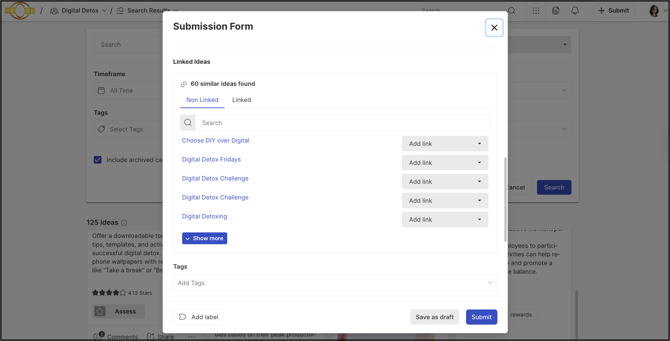
Idea Details Page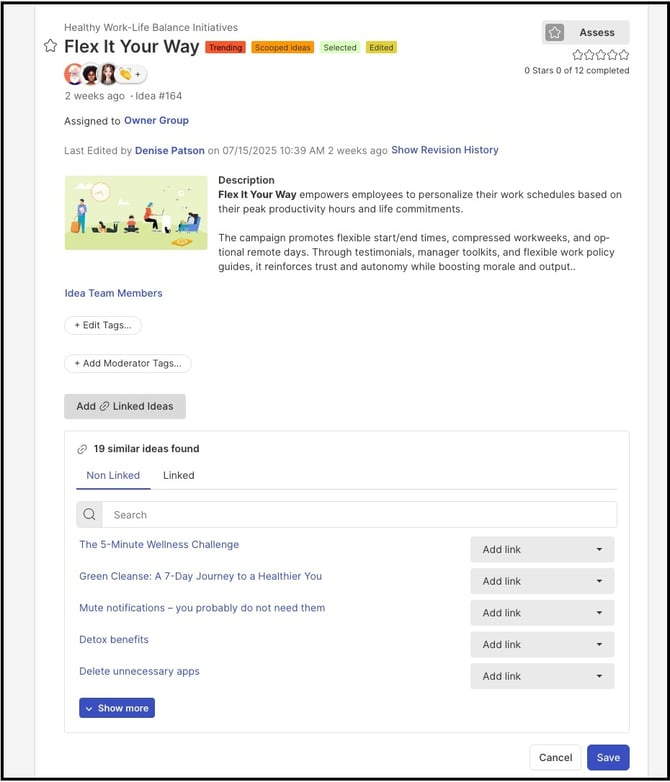
Moderator Visibility
A Moderator can use idea linking from the Moderator Dashboard, in addition to the same locations available to a Member.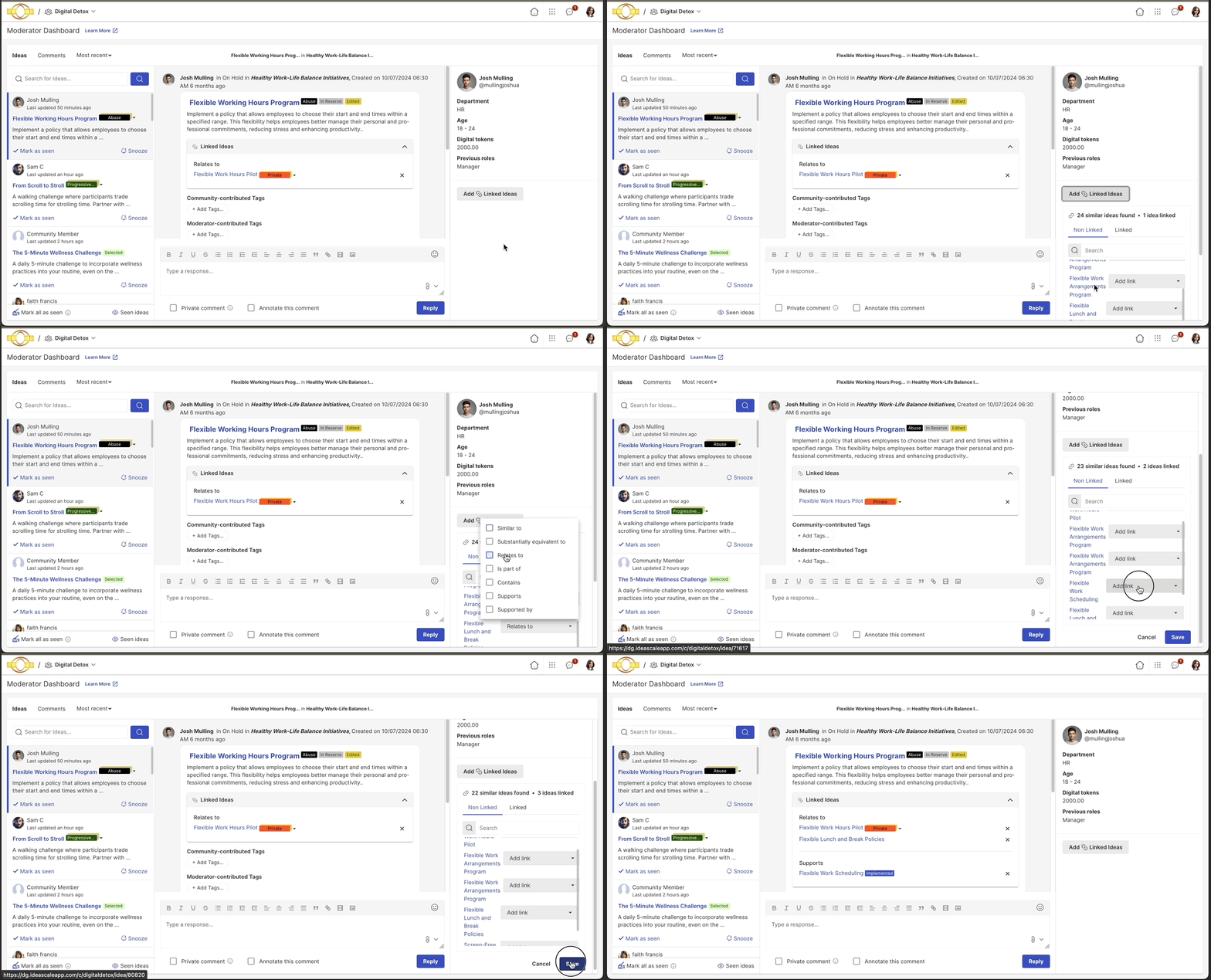
Administrator Visibility
A Community Administrator can view and manage idea linking under Campaign settings >> Idea Submission Tool.
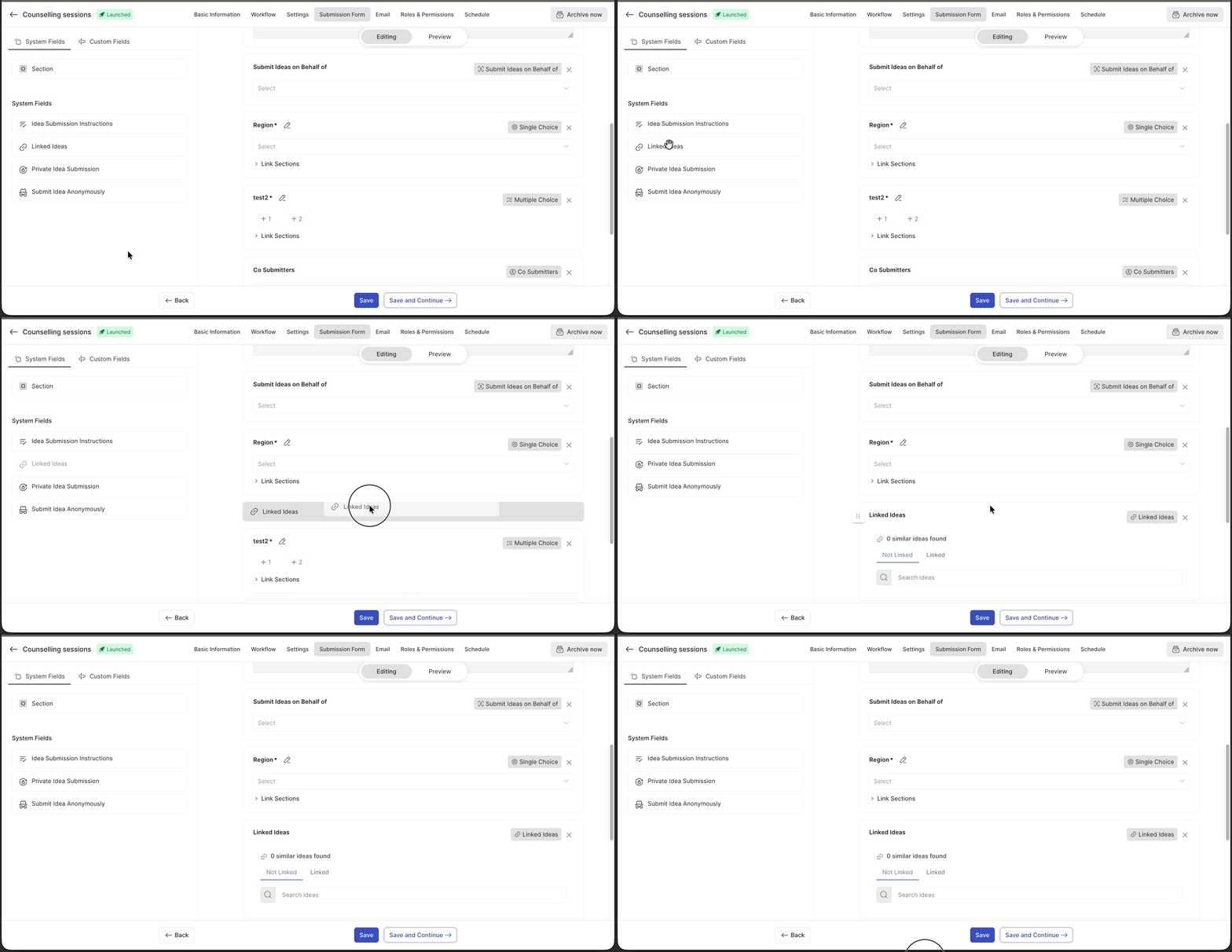
Linked idea data also appears in both Idea Export Data and Idea Import Data.

Idea Import Data: Linked idea data can be included when idea data is imported.

Email Notification
When an idea is linked to another idea, an email notification is sent to the submitter of the idea that was linked to the main idea. See Exceptions below for who does not receive this notification.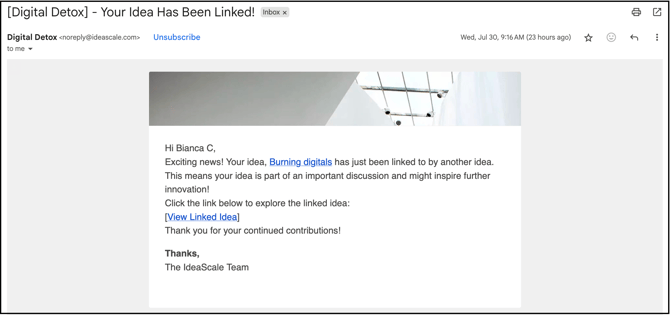
Exceptions
- Notification Scope: The member who creates the link and the submitter of the main idea do not receive an email notification when an idea is linked; only the submitter of the linked idea receives one.
- Historical Attribution: A linked idea is attributed to the member who created the link; however, previously linked ideas are attributed to the Community Administrator.
- Cross-Campaign Linking: Ideas can be linked to ideas from a different campaign.
- Private Campaign Visibility: A private campaign idea linked to a public campaign idea is visible only to members authorized for that private campaign.
Frequently Asked Questions
Does the member who links two ideas receive a notification?
No. Only the submitter of the idea that was linked to the main idea receives an email notification; the member who creates the link and the submitter of the main idea do not.
Can ideas from different campaigns be linked to each other?
Yes. Ideas can be linked to ideas from a different campaign.
Who is credited with linking an idea?
The member who creates the link is credited with it. Previously linked ideas, created before this attribution existed, are attributed to the Community Administrator.
Can a private campaign idea be seen by members outside that campaign once it's linked to a public idea?
No. A private campaign idea linked to a public campaign idea remains visible only to members authorized for that private campaign.
Related Articles