
| What is the Workspace Search Tool? |
| The Workspace Search Tool is a workspace-level search feature that allows a quick, unified search across ideas, communities, campaigns, and members, with the option to narrow results to a specific timeframe. |
The Workspace Search Tool provides a fast way to search across the entire workspace for ideas, communities, campaigns, and members at once. Results can be narrowed by timeframe and by additional filters specific to each result type.
Role Permissions
- All Roles (Administrators, Moderators & Members): Can access the Workspace Search Tool from the Workspace Topbar and search across ideas, communities, campaigns, and members.
Filters
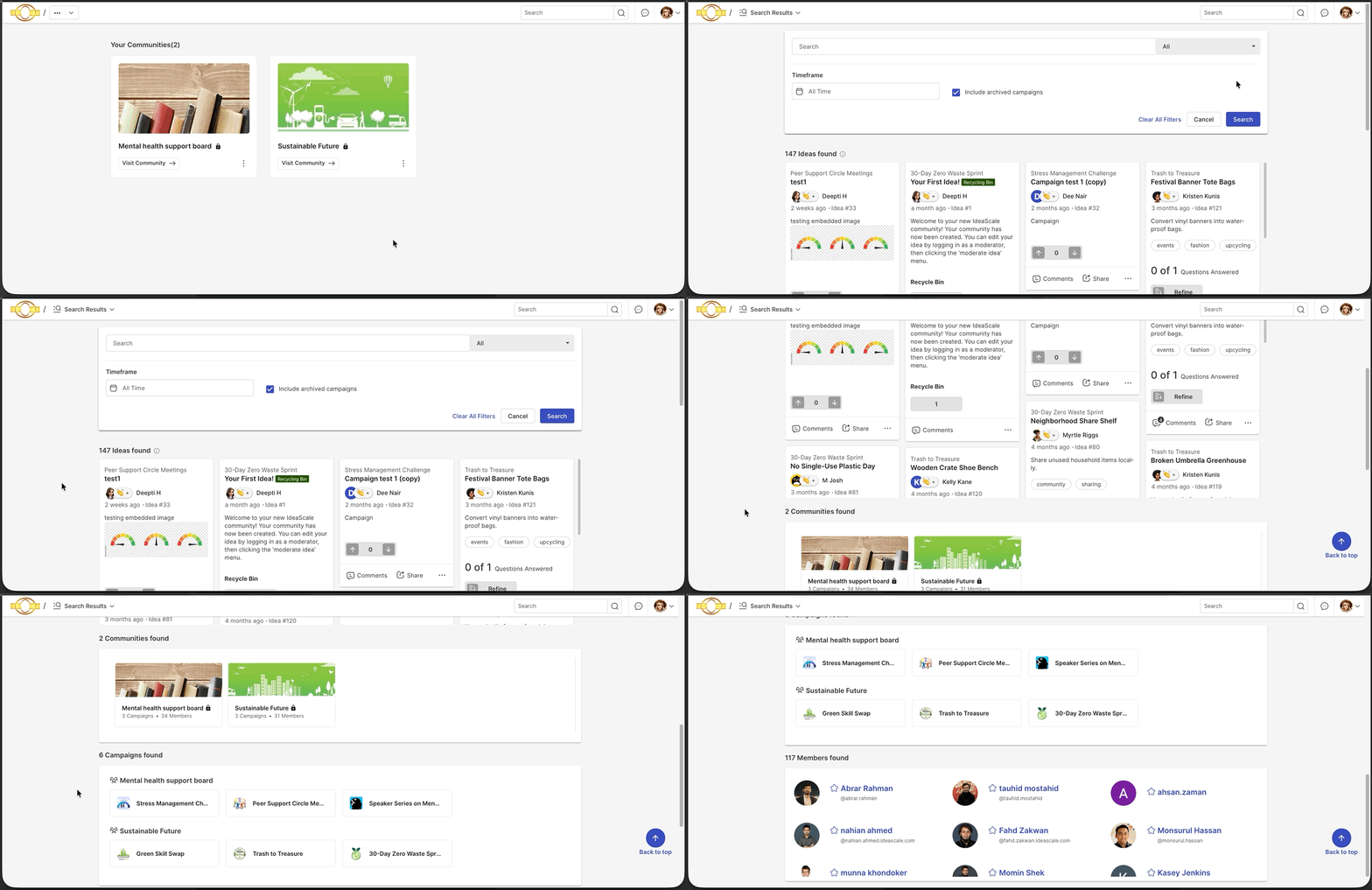
Entering text into the search box without selecting a filter searches for all matching communities, campaigns, and members at once.
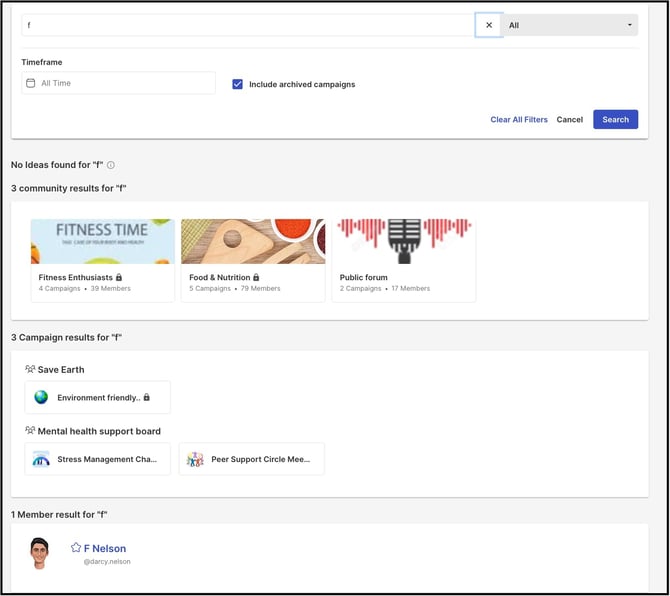
Selecting the search box displays the following filters:
- Time Frame: Provides a date range for narrowing the search.
- Include Archived Campaigns: Enabling this checkbox includes both archived and active campaigns, along with their associated ideas, in the search results.
Note: Ideas, Communities, Campaigns, and Members can each be filtered individually within the Workspace Search Tool, with additional filters available for each, as detailed below.
Ideas
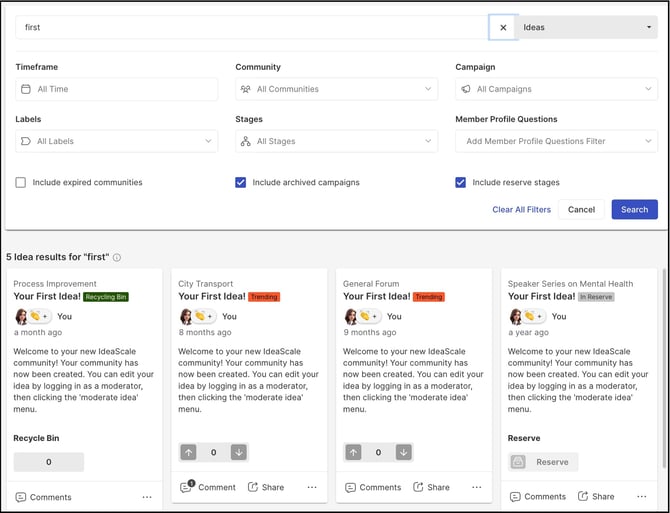
Ideas can be searched across all communities, campaigns, and stages at the same time. The following filters are available for narrowing idea search results:
- Timeframe: Selects the timeframe for the campaign's creation or active date.
- Community: Searches within all communities, or narrows the search to one or more selected communities.
- Campaigns: Searches within specific campaigns or all campaigns.
- Labels: Searches ideas based on specific system labels.
- Stages: Searches ideas based on one or more specific stage functions, or all stages.
- Member Profile Questions: Searches ideas based on the answers members have given to member profile questions, so that only ideas submitted by matching members are displayed.
- Include Expired Communities: Includes campaigns from expired communities in the search. See Exceptions below for when this filter appears.
- Include Archived Campaigns: Includes archived campaigns in the search results.
- Include Reserve Stages: Includes ideas currently in the Reserve stage in the search results.
Communities
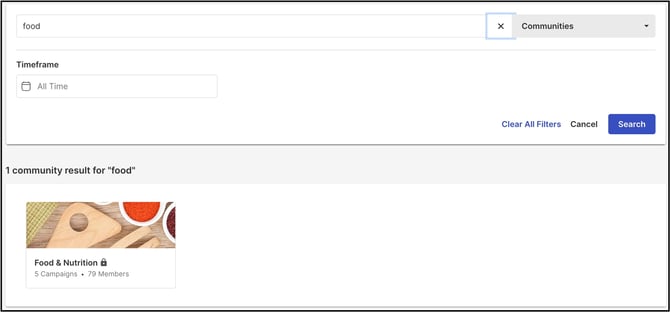
Communities can be searched by selecting a date range with the Timeframe date picker, corresponding to when the community was created, or by entering part of the community's name into the search box.
Campaigns
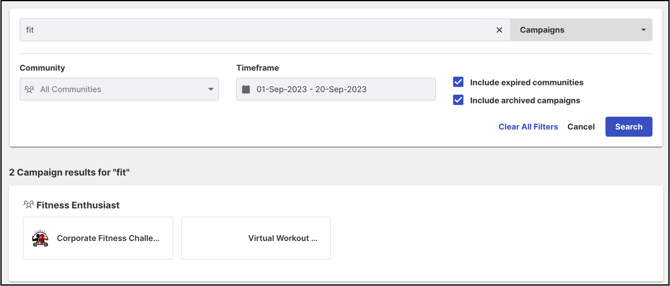
Campaigns can be searched using the whole or part of the campaign name. The following additional filters are available to narrow the search:
- Community: Searches within all communities, or narrows the search to one or more selected communities.
- Timeframe: Selects the timeframe for the campaign's creation or active date.
- Include Expired Communities: Includes campaigns from expired communities in the search. See Exceptions below for when this filter appears.
- Include Archived Campaigns: Includes archived campaigns in the search results.
Members
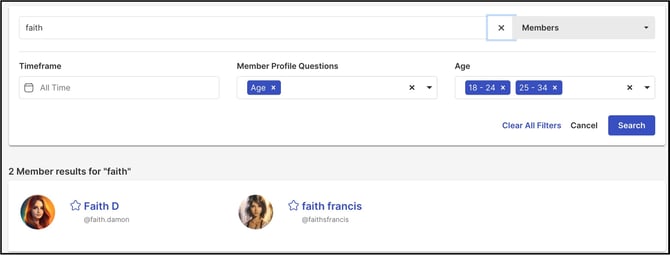
Members can be searched using the whole or part of their name. The following additional filters are available to narrow the search:
- Timeframe: Selects the timeframe for the member's registration or upload date.
- Member Profile Questions: Searches members based on their answers to one or more Workspace member profile questions. Selecting a profile question displays an additional field for selecting the answer option.
Exceptions
- Include Expired Communities Visibility: The Include Expired Communities checkbox appears only when the search encompasses all communities. It does not appear when the search has been narrowed to one or more specific communities.
Frequently Asked Questions
What happens when text is entered into the search box without selecting a filter?
Entering text into the search box without selecting a filter searches for all matching communities, campaigns, and members at once.
Does the Workspace Search Tool include archived campaigns in its search results?
Only when the Include Archived Campaigns checkbox is enabled. When enabled, both archived and active campaigns, along with their associated ideas, are included in the search results.
When does the Include Expired Communities checkbox appear?
The Include Expired Communities checkbox appears only when the search encompasses all communities. It does not appear when the search has been narrowed to one or more specific communities.
Can idea search results be narrowed to members who answered a specific profile question in a certain way?
Yes. The Member Profile Questions filter narrows idea search results to only the ideas submitted by members whose answers match the selected profile question and answer option.
Can ideas be searched across multiple communities and campaigns at the same time?
Yes. Ideas can be searched across all communities, campaigns, and stages simultaneously, and the results can be further narrowed using the filters listed under Ideas above.
Related Articles