
Path: Workspace Homepage >> Navigation Panel >> Settings >> Data
| What is Workspace Data Management? |
|---|
| Workspace Data Management is the Data section of Workspace Settings, providing the tools needed to manage communities, export workspace information, and remove unassigned members or the workspace itself. |
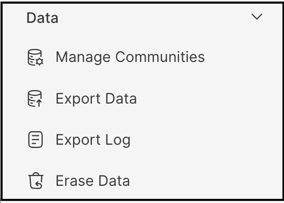
Workspace Data Management gives the Workspace Administrator and Workspace Owner the tools necessary to oversee and execute key actions for managing the communities within a workspace. It is organized into three functions: Manage Communities, Export Data (along with its Export Log), and Erase Data.
Role Permissions
- Workspace Administrator: Manages communities, exports workspace data, reviews the Export Log, and removes unassigned members. Does not see the Delete Workspace option.
- Workspace Owner: Has the same access as the Workspace Administrator, plus sole access to the Delete Workspace option.
TABLE OF CONTENTS
Manage Communities
Export Data
Export Log
Erase Data
Exceptions
Frequently Asked Questions
Manage Communities
Manage Communities is made up of two sections: Communities and Deleted Communities.
Communities
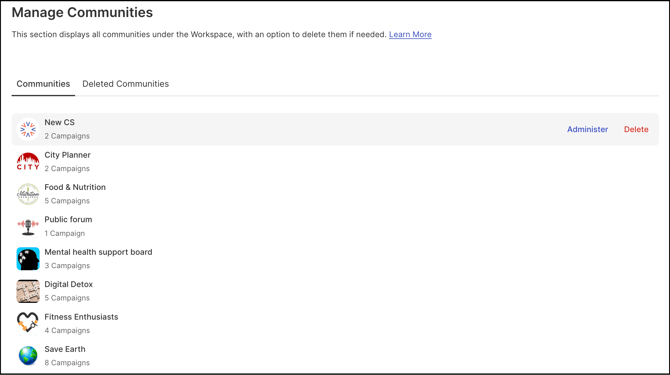
This section presents a comprehensive list of all communities within the workspace. The Workspace Administrator can manage a specific community by selecting the Administrator option. Selecting the Delete option removes the community and transfers it to the Deleted Communities section.
Communities can also be reordered for display on the Workspace Homepage by dragging a community up or down in the list.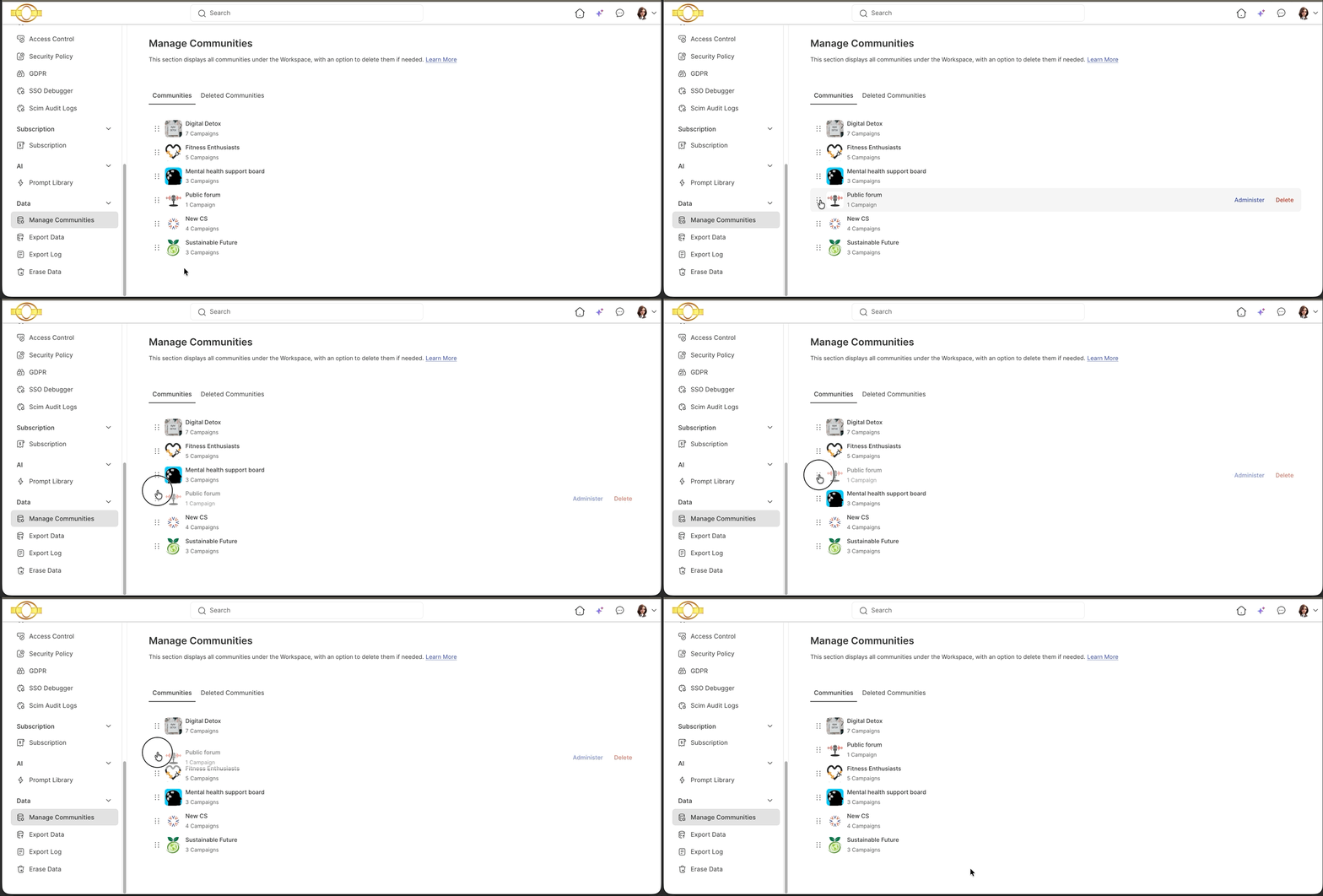
Deleted Communities
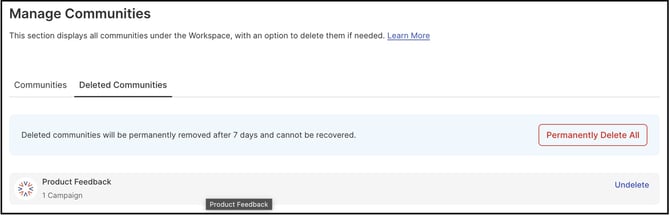
This section lists all communities deleted within the last 7 days. The Workspace Administrator can restore a community using the Undelete option before the retention period expires. Selecting Permanently Delete All immediately removes every community listed in this section. See Exceptions below for retention and permanent-deletion details.
Export Data
Export Data provides the Workspace Administrator with tools to export workspace information into multiple data formats.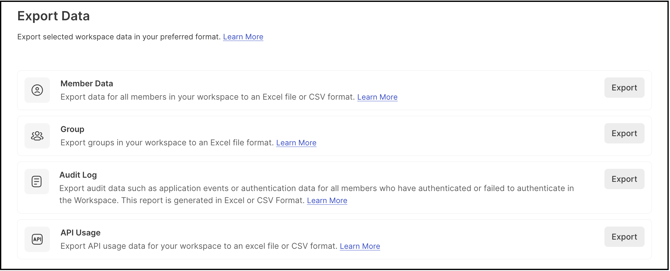
Help Article on Workspace Export Data
Export Log
The Export Log lists every report exported over a period of time and shows the progress of an export currently in process, including the number of steps remaining to be completed.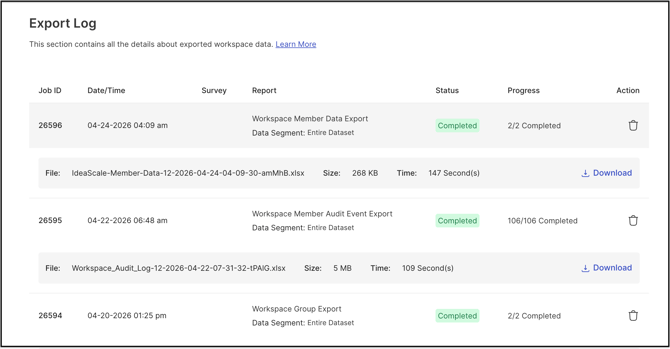
Help Article on Export Log
Erase Data
Erase Data is made up of two sections: Unassigned Members and Delete Workspace.
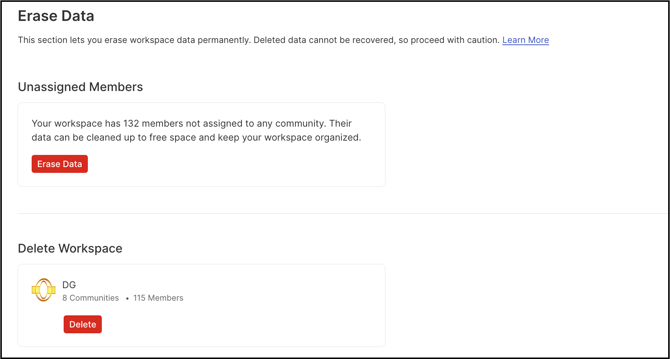
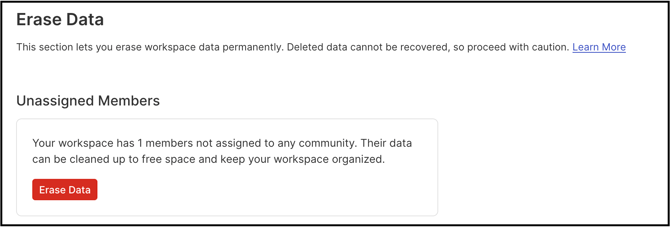
Unassigned Members
This section enables the Workspace Administrator to remove unassigned members, along with any associated data or activity, from the communities or the workspace.
Delete Workspace
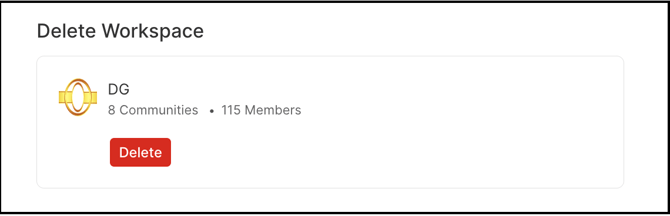
This section gives the Workspace Owner the ability to permanently delete the entire workspace, including all associated communities and members. The Workspace Administrator does not see this option. See Exceptions below.
Exceptions
- Deleted Community Retention: A deleted community remains in the Deleted Communities section for 7 days, during which it can be restored using the Undelete option. Once the 7-day period expires, the community is permanently deleted.
- Permanently Delete All: Selecting this option bypasses the 7-day retention period and immediately removes every community listed in the Deleted Communities section. This action cannot be undone.
- Delete Workspace: This option is visible only to the Workspace Owner. Deleting a workspace is irreversible; once deleted, the workspace, along with all associated communities and members, cannot be retrieved.
Frequently Asked Questions
What happens to a community after it is deleted from Manage Communities?
The community moves to the Deleted Communities section, where it can be restored using the Undelete option within 7 days. After 7 days, it is permanently deleted.
Can a community be restored after the 7-day retention period expires?
No. Once the 7-day retention period expires, the community is permanently deleted and cannot be recovered.
Who can access the Delete Workspace option?
Only the Workspace Owner can access Delete Workspace. The Workspace Administrator does not see this option.
What formats are available when exporting workspace data?
Export Data supports exporting workspace information into multiple data formats. Specific format options are detailed in the Workspace Export Data help article.
Related Articles
- Help Article for Workspace Export Data
- Help Article for Export Log
- Help Article for Manage Workspace