
Path: Workspace Homepage >> Navigation Panel >> >> Campaign >> Community >> Workflow >> Edit >> Stage edit >> Report Ideas as
| What are Selected & Implemented Ideas? |
|---|
| Selected & Implemented Ideas is a Workflow stage setting that classifies ideas as Selected or Implemented, helping structure decision-making by clearly indicating which ideas are being prioritized and which have progressed to implementation. |
At any point in the workflow, the Community Administrator can classify ideas as either Selected or Implemented. This classification, configured during the stage setup process in Workflow, helps structure decision-making and clearly indicates which ideas are being prioritized and which have progressed to implementation.
Role Permissions
- Community Administrator: Classifies a stage as Selected or Implemented using the Report Ideas As option in Stage Edit, and tracks the resulting ideas in the Reporting Dashboard's Outcomes Report.
TABLE OF CONTENTS
Selected Ideas
Implemented Ideas
Outcome of the Selected & Implemented Ideas
Implemented and Selected Labels
Frequently Asked Questions
Selected Ideas
The Community Administrator can designate certain stages as Selected using the Report Ideas As option in the Stage Edit >> Info section.
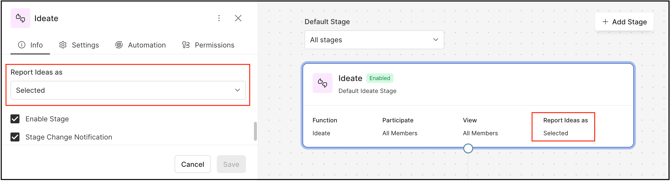
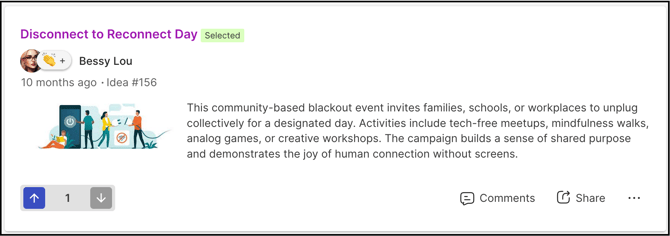
When a stage is marked as Selected, every idea in that stage automatically receives a Selected badge, clearly signaling to participants that these ideas have been chosen for further consideration or potential implementation.
Implemented Ideas
Similarly, the Community Administrator can designate stages as Implemented using the Report Ideas As setting in the Stage Edit >> Info section.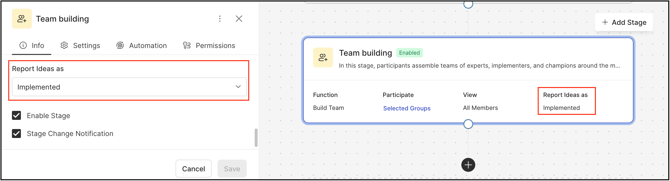
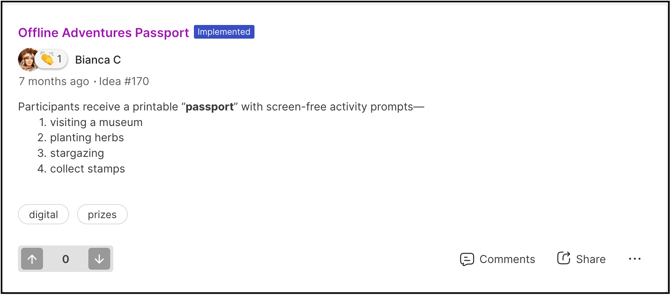
When a stage is marked as Implemented, every idea within that stage automatically receives an Implemented badge, clearly indicating to participants that these ideas have moved beyond selection and have been put into practice.
Once this is set up, the Community Administrator can track the ideas in a Selected or Implemented stage in the Reporting Dashboard >> Outcomes Report.
Impact of Selected & Implemented Ideas in the Outcomes Dashboard
In the Outcomes Dashboard, a graph represents the Selected and Implemented ideas' outcomes in terms of the number of ideas selected and implemented from the community. The Community Administrator can edit the report and filter it with various options.
Help article on Reporting filters
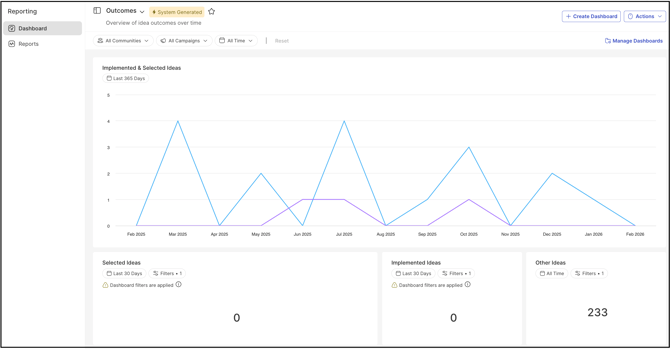
Note: Selected and Implemented ideas can also be shown on the custom landing page and custom pages.
Implemented and Selected Labels
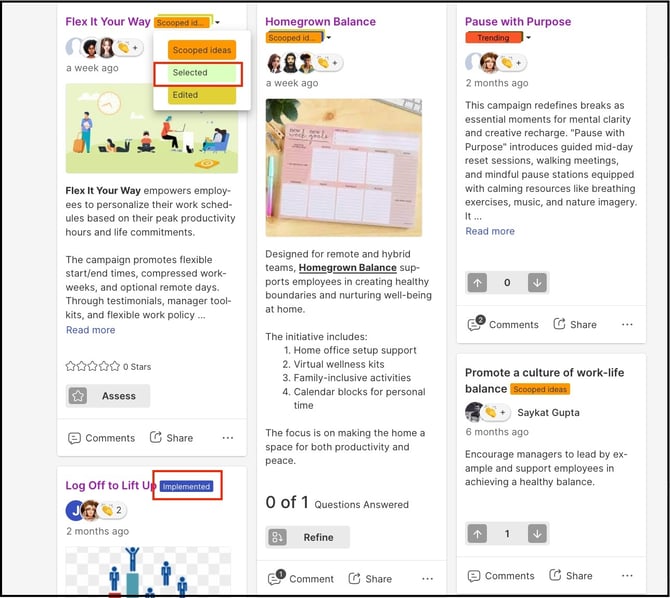
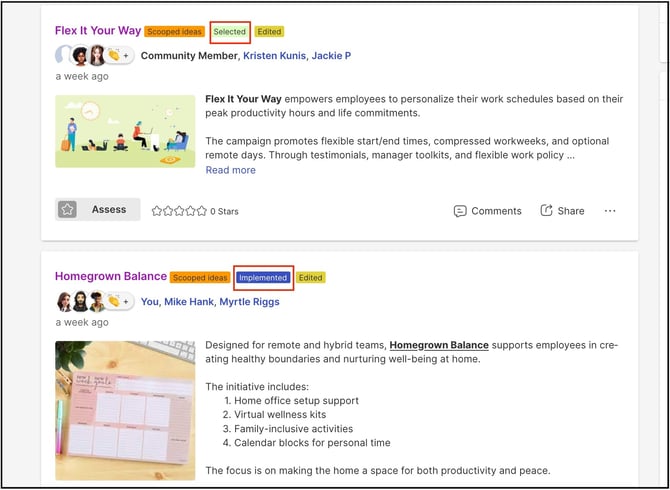
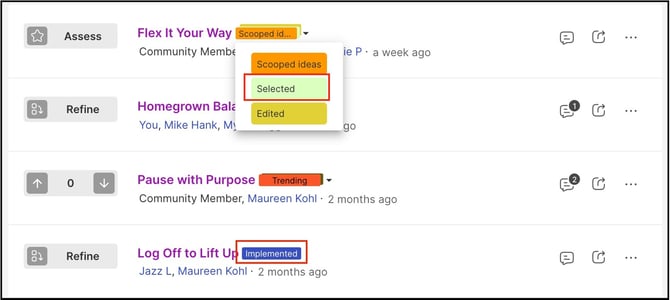
When ideas reach the Implemented or Selected stages, a corresponding label is displayed. This gives moderators a clear opportunity to acknowledge and highlight ideas that have either been put into action or formally chosen for further development.
The Selected and Implemented labels appear on ideas in the Grid, List, and Compact homepage views.
Homepage interface:
Grid view
List view
Compact View
Moderator Interface
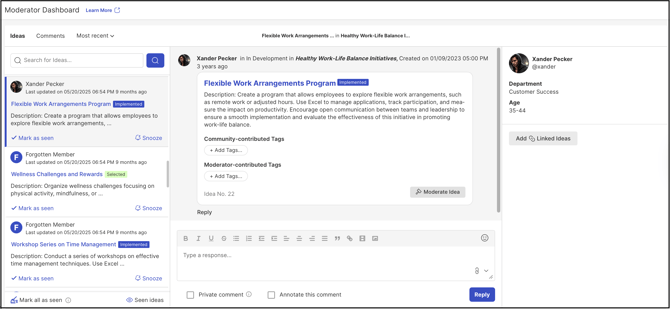
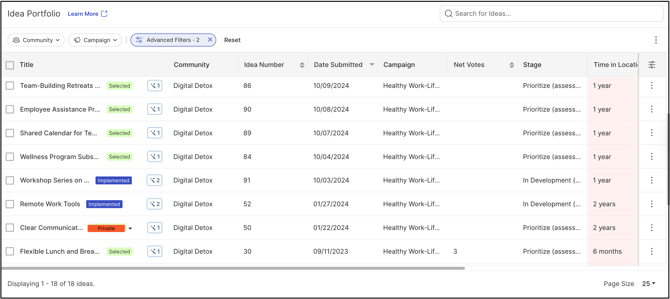
The Selected and Implemented labels also appear in the Moderator Dashboard and the Idea Portfolio.
Moderator Dashboard
Idea Portfolio
Frequently Asked Questions
What is the difference between a Selected idea and an Implemented idea?
A Selected idea has been chosen for further consideration or potential implementation, while an Implemented idea has moved beyond selection and has been put into practice.
Where can Selected and Implemented ideas be tracked?
The Community Administrator can track Selected and Implemented ideas in the Reporting Dashboard's Outcomes Report, where a graph shows the number of ideas selected and implemented from the community. The report can be edited and filtered with various options.
Can Selected and Implemented ideas be displayed outside the Reporting Dashboard?
Yes. Selected and Implemented ideas can also be shown on the custom landing page and custom pages.
Where do participants and moderators see the Selected and Implemented badges?
Participants see the badges in the Grid, List, and Compact homepage views. Moderators see the corresponding labels in the Moderator Dashboard and the Idea Portfolio.
Related Articles