
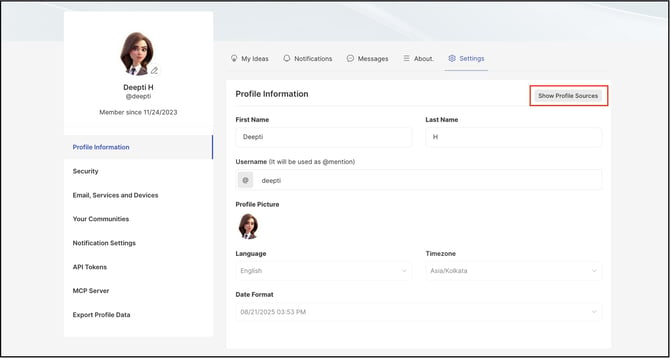
Path: Profile >> Settings >> Profile Information >> Show Profile Source
| What is Profile Source? |
|---|
| Profile Source identifies which authentication method — SSO, email, or social login — supplied a member's profile information. |
Workspace profile information can vary depending on the authentication method used to sign in, because Workspace aggregates profile data from multiple authentication sources, including SSO, email, and social logins, and compiles them into a single unified profile.
Role Permissions
- All Roles (Administrator, Moderator, Member): Can view the profile source details and deactivate any authentication-method profile no longer in use, from their individual profile page
TABLE OF CONTENTS
Authentication Method HierarchyCompiling Profile Information
Viewing Profile Source
Deactivating a Profile
Example
Editable Profile
Exceptions
Frequently Asked Questions
Authentication Method Hierarchy
Workspace assigns a priority to each authentication method used to sign in. This order is:
- SSO
- Social Logins (e.g., Google, LinkedIn)
Compiling Profile Information
Workspace compiles profile information from every authentication method a member has used to sign in. If a particular field is missing from a higher-priority authentication method, Workspace looks for that information in the next method down, according to the Authentication Method Hierarchy above.
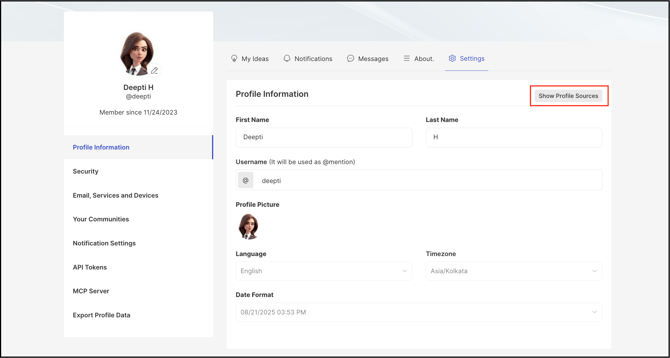
Viewing Profile Source
- Go to the profile page.
- Select the Show Profile Sources button.
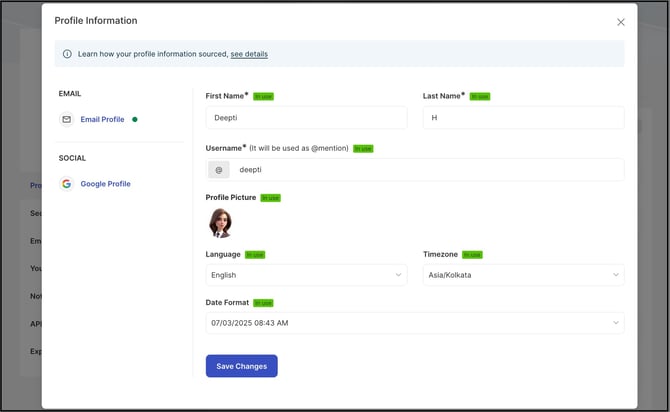
Selecting Show Profile Sources opens a modal displaying the source of each compiled profile field. The modal only displays the authentication methods that have actually been used to sign in.
Deactivating a Profile
Any profile associated with an authentication method no longer in use can be deactivated. Deactivating a profile hides it from the profile source page. Signing in again using that same authentication method reactivates the profile.
Example
For example, when a member signs in to Workspace using an SSO method (Okta, for instance), the SSO profile might supply the first name, last name, and username, but not the time zone or preferred language, leaving those fields empty. If the member also signs in using an email address, the email profile might supply the time zone and preferred language, but not the username, since usernames are typically assigned by SSO.
When the compiled Workspace profile is viewed, all of this information appears together. The username is sourced from SSO, while the time zone and language are sourced from the email profile, since SSO did not supply that information.
The Show Profile Sources modal indicates that the first name, last name, and username came from the SSO login, and that the time zone and language came from the email login.
Editable Profile
The only editable profile information in Workspace is from the email login profile. Any field on the email profile can be edited, with the exception of the username field when an SSO login method supplies the username. See Exceptions below.
Exceptions
- Username Editing: When an SSO login method supplies a username, the username field on the email profile cannot be edited. If no SSO login method provides a username, the username field on the email profile becomes editable.
Frequently Asked Questions
How does Workspace decide which authentication method's information appears on a profile?
Workspace follows the Authentication Method Hierarchy — SSO, then Email, then Social Logins. A field is filled in from a lower-priority method only when that field is missing from every higher-priority method.
What happens when a profile is deactivated?
Deactivating a profile hides it from the profile source page. Signing in again using that same authentication method reactivates the profile.
Which profile fields can be edited?
Only fields sourced from the email login profile can be edited, except the username field, which can only be edited from the email profile when no SSO login method supplies a username.
Where can the source of profile information be viewed?
Selecting Show Profile Sources on the profile page opens a modal listing which authentication method supplied each compiled profile field.
Related Articles
- Help Article for Profile Settings
- Help Article for Single Sign-On (SSO) Configuration
- Help Article for Social Login