
Path: Workspace Homepage >> Navigation Panel >> Settings >> Community >> Community Access >> Access Control
| What is Community Access Control? |
|---|
| Community Access Control is the group of settings within Community Access that lets a Community Administrator restrict, approve, and block who can join and participate in a community. |
Community Access Control brings together member approval rules, trusted-domain and IP-based auto-approvals, email domain blocking, and profanity filtering into a single settings area. These controls work together to determine which users can view, join, or participate in a community.
Role Permissions
- Community Administrator: Configures all Access Control settings, including Member Approvals, Auto Approvals, Approved IPs, Auto Block Domains, and Profanity Filtering.
- Community Moderator, Workspace Administrator, Custom Administrator: These roles will have rights to approve or reject a Member.
TABLE OF CONTENTS
Approvals Required
The Approvals Required section controls how new members are screened and approved before they can participate in the community.
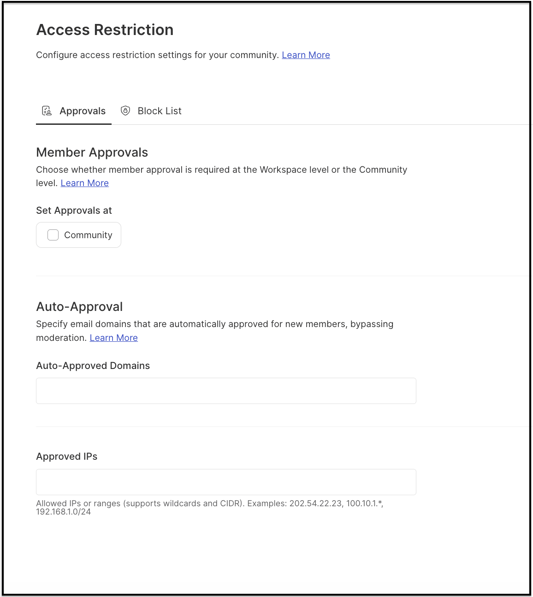
Member Approvals: When the Member Approvals switch is ON, all new members joining the community must first receive the Moderator's approval before they can participate in the community.
Help Article on Member Approvals
Auto Approvals: Auto Approvals allows the Community Administrator to specify trusted email domains and IP addresses whose users are automatically approved as new members, bypassing standard Moderator review and speeding up access for known organizations.
Help Article on Auto Approvals
Approved IPs: Approved IPs allows the Community Administrator to control access to the community based on IP (Internet Protocol) address. Only users who access the community from the defined IP addresses are allowed to view and participate in the community.
Blocklist
The Blocklist section controls which email domains are barred from the community and filters abusive language and emojis from community content.
Auto Block domains: Members with email addresses from specified domains are automatically blocked from registering or joining the community, preventing users from those domains from viewing or participating in any community activities. Blocked members do not see the communities from which they are blocked on the Workspace landing page.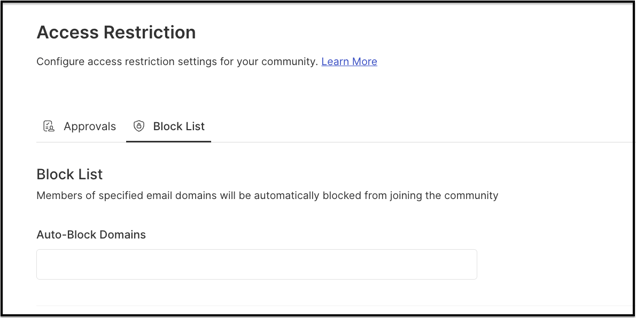
Profanity Filtering: Profanity Filtering allows the Community Administrator to block certain abusive words or emojis from the community.
Help Article on Profanity Filtering
Frequently Asked Questions
Does a member blocked by Auto Block Domains see any trace of the community they were blocked from?
No. A member blocked through Auto Block Domains does not see the community they were blocked from on the Workspace landing page.
Does enabling Member Approvals affect members who joined before the switch was turned on?
No, enabling the Member Approval will effect only future signups by members.
Can Auto Approvals be used together with Member Approvals?
Yes, it can be used along with Member Approvals.
Related Articles