
| What is an Authentication Failure? |
|---|
| An Authentication Failure occurs when a member is unable to log in to an IdeaScale community — due to an incorrect email/password combination, a temporary account lock, account inactivity, a community ban, a blacklisted email domain, or an unregistered email address. |
Members occasionally encounter authentication failures that prevent access to an IdeaScale community. This article outlines the most common causes of login failure and the steps available to regain access. See Exceptions below for issues that require Workspace Administrator intervention.
Role Permissions
- Workspace Administrator: Sets the duration of temporary account lockouts, configures the account inactivity threshold, manages the list of blacklisted email domains, and can unlock or reactivate a member's account from Workspace Member Management.
- Community Administrator: Manages bans within a specific community and addresses member questions or concerns about being banned from that community.
- Member: Encounters authentication errors when attempting to log in, and can use self-service options — such as Forgot Password, an account verification link, or registration — to regain access, or contact Support when further assistance is needed.
TABLE OF CONTENTS
Invalid Email Address / Password Combination
Account Locked Temporarily
Account Inactivity
Member Banned from Community
Email Domain Blacklisted
Unregistered Member Attempting Password Reset
Exceptions
Frequently Asked Questions
Invalid Email Address / Password Combination
Entering an incorrect email address or password combination results in the error message shown below.
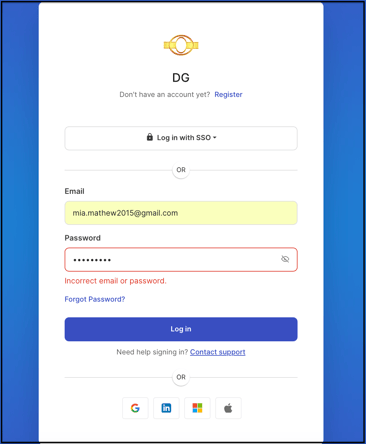
Selecting Forgot Password resets the password. A follow-up email containing step-by-step reset instructions is sent; if the email does not appear in the inbox, the spam or junk folder should be checked.
Note: If access still cannot be regained, the Contact Support link can be used to send an email directly to the IdeaScale support team for further assistance.
Account Locked Temporarily
Multiple incorrect login attempts result in a message and an email notifying the member that the account has been temporarily locked.
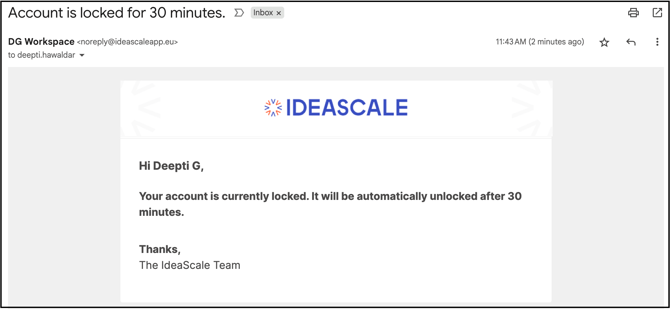
The member must wait until the lockout period ends or contact the Workspace Administrator to have the account unlocked. See Exceptions below for details on the lockout duration.
Account Inactivity
An account left unused for a period of time (the specific duration is set by the Workspace Administrator) may become inaccessible. When this happens, selecting the verification link included in the notification email restores access to the account.
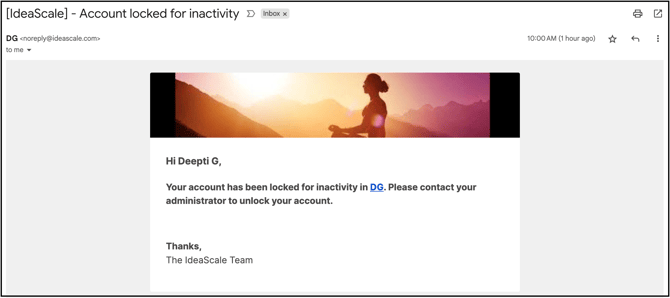
Note: A member can also request that the Workspace Administrator unlock the account from Workspace Member Management.
Member Banned from Community
A member who has been banned from a community cannot access or participate in any community activity. If a banned member attempts to reset their password, an email is sent notifying them of the ban.
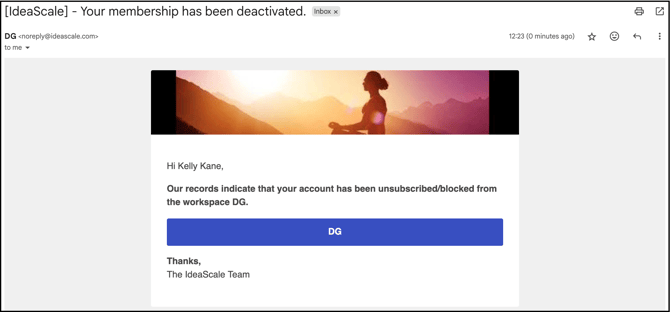
Note: Questions or concerns about a community ban should be directed to the Workspace Administrator or Community Administrator.
Email Domain Blacklisted
When the Workspace Administrator has created a list of blacklisted email domains, anyone attempting to register with an address from one of those domains receives an error message.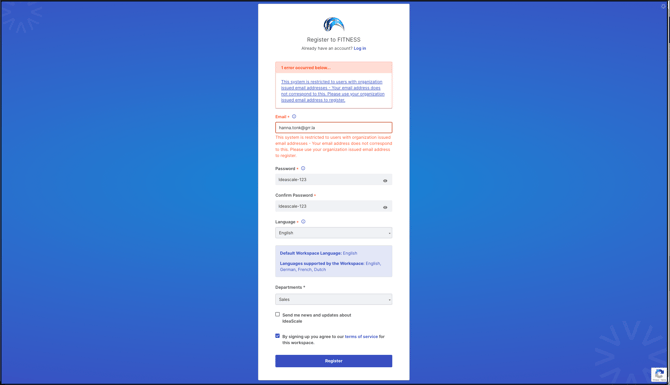
Note: IdeaScale does not control workspace-level domain blacklisting; questions or concerns should be directed to the Workspace Administrator.
Unregistered Member Attempting Password Reset
A member who receives a password reset email but does not have an existing IdeaScale account can select the "Please register to continue" link included in the email to create a new account and regain access to the community.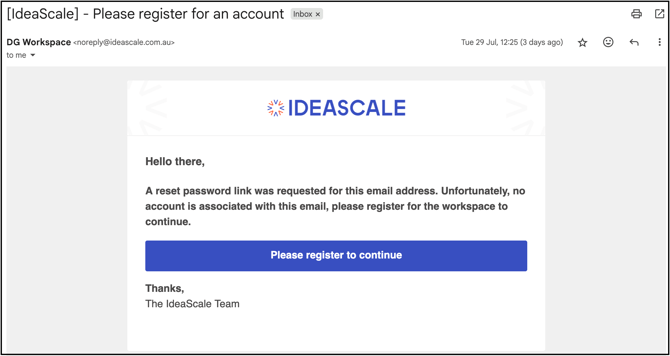
Note: Further assistance is available through the help chat icon or by emailing support@ideascale.com.
Exceptions
- Workspace-Administrator-Only Resolution: For Account Locked Temporarily, Account Inactivity, Member Banned from Community, and Email Domain Blacklisted issues, only the Workspace Administrator can resolve the problem and grant access; IdeaScale Support may not be able to offer assistance in these cases.
- Lockout Duration: The duration of a temporary account lock is set by the Workspace Administrator and cannot be overridden.
Frequently Asked Questions
What should a member do after seeing an "Invalid Email Address / Password Combination" error?
Select Forgot Password to reset the password by email. If the reset email does not arrive, check the spam or junk folder, and use the Contact Support link if access is still not regained.
Who determines how long a temporary account lock lasts?
The Workspace Administrator sets the lockout duration, and it cannot be overridden. The member must either wait for the lockout period to end or contact the Workspace Administrator directly.
What happens if a banned member tries to reset their password?
The member receives an email notifying them of the ban. Questions or concerns about the ban should be directed to the Workspace Administrator or Community Administrator, since IdeaScale does not control community-level bans.
Why would a registration attempt be rejected because of an email domain?
The email address belongs to a domain the Workspace Administrator has blacklisted for the community. Since IdeaScale does not control community-level domain blacklisting, questions should be directed to the Workspace Administrator.
What should someone without an existing IdeaScale account do if they receive a password reset email?
Select the "Please register to continue" link included in the email to create a new account and regain access to the community.
Related Articles