
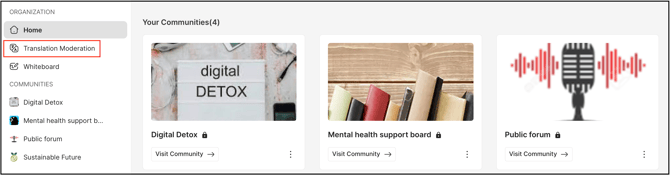
Path: Workspace Homepage >> Navigation Panel >> Translation Moderation
| What is the Translation Moderation Dashboard? |
| The Translation Moderation Dashboard is a moderation tool that allows a Translation Moderator to translate workspace or community headings, descriptions, ideas, comments, and member profile questions into another language. |
The Translation Moderation option is available to a Workspace Translation Moderator and a Community Translation Moderator, giving each the ability to review and translate content within their assigned scope. Content is organized separately at the Workspace Level and the Community Level, and each section provides filtering and review tools to help a Translation Moderator locate and complete translations efficiently.
Role Permissions
- Workspace Translation Moderator: Views and translates Headings & Descriptions and Profile Questions at the Workspace Level.
- Community Translation Moderator: Views and translates Ideas & Comments, Headings & Descriptions, Profile Questions, and Stages Content within the assigned community or communities.
- Administrators, Moderators & Members: Cannot view or access the Translation moderation dashboard like Translation Moderators.
TABLE OF CONTENTS
Switching Between Workspace and CommunityWorkspace Level
Community Level
Filtering Translation Content
Reviewing and Confirming Translations
Exceptions
Frequently Asked Questions
Switching Between Workspace and Community
A member assigned as Translation Moderator for both the Workspace and a Community has access to a switch for moving between the two views, along with a dropdown for selecting a specific community if the role is held across multiple communities.
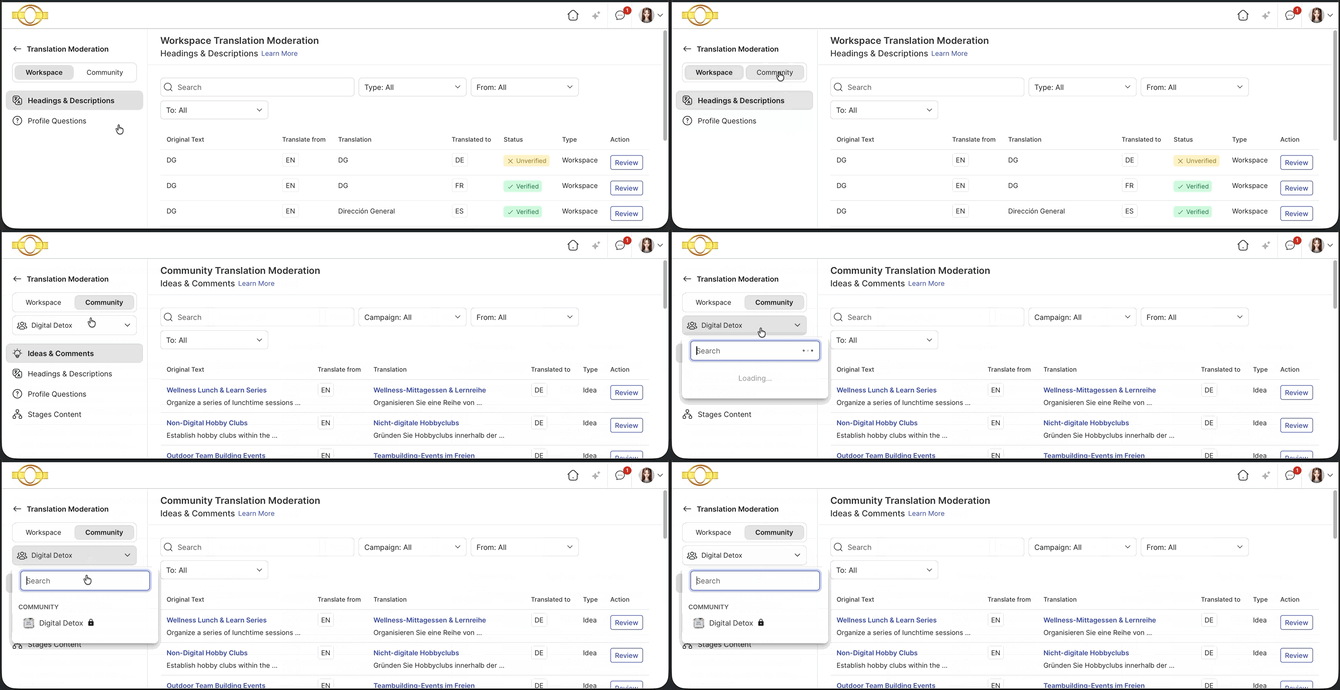
A member assigned as Translation Moderator for only one scope — either the Workspace or a single Community — does not see the switch, since there is only one scope available. See Exceptions below.
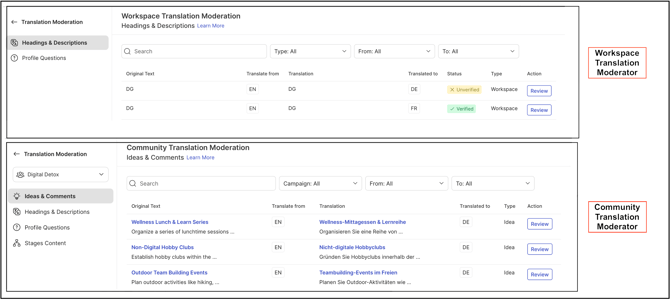
Workspace level
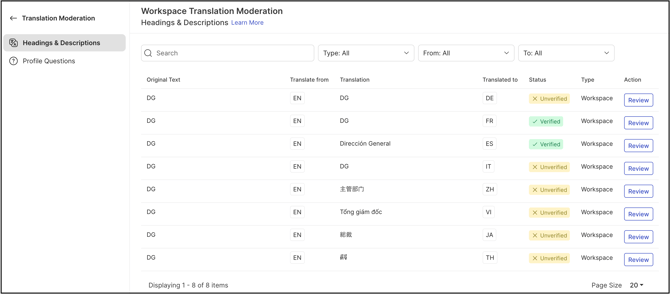
At the Workspace Level, a Workspace Translation Moderator can translate Headings & Descriptions and Profile Questions.
Community Level
At the Community Level, a Community Translation Moderator has access to the same two sections available at the Workspace Level, along with two additional sections: Ideas & Comments and Stages Content.
Ideas & Comments
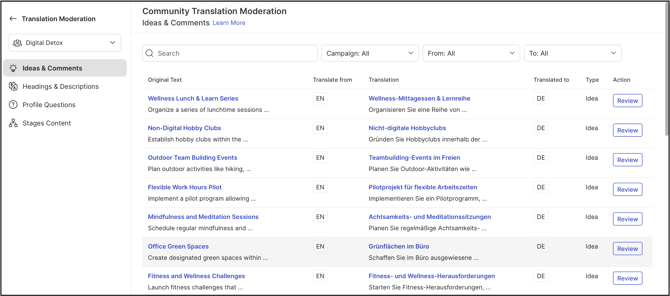
The Ideas & Comments section allows a Community Translation Moderator to review and translate ideas and comments submitted across all campaigns or within a specific campaign.
Headings & Descriptions
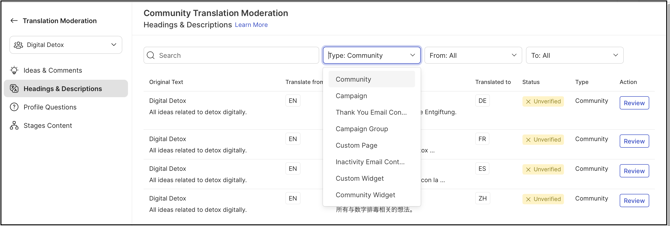
The Headings & Descriptions section allows translation of the Community name, campaign content, thank you email content, campaign group content, custom page content, inactivity email content, custom widget content, and community widget content.
Profile Questions
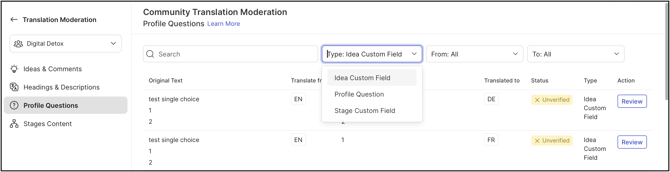
The Profile Questions section contains translations for idea custom fields, profile questions and their answer options, and stage custom fields.
Stages Content
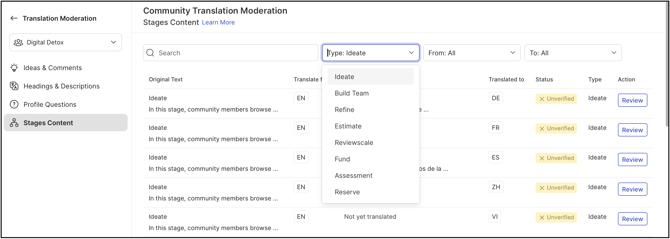
The Stages Content section allows translation of specific stage content into the desired target language.
Filtering Translation Content

Each Workspace Level and Community Level section provides filters to help a Translation Moderator narrow down content quickly:
- Keyword Search: A field for searching content by keyword.
- Type: The category of content being filtered.
- From: The language content is currently written in.
- To: The language content is being translated into.
Reviewing and Confirming Translations
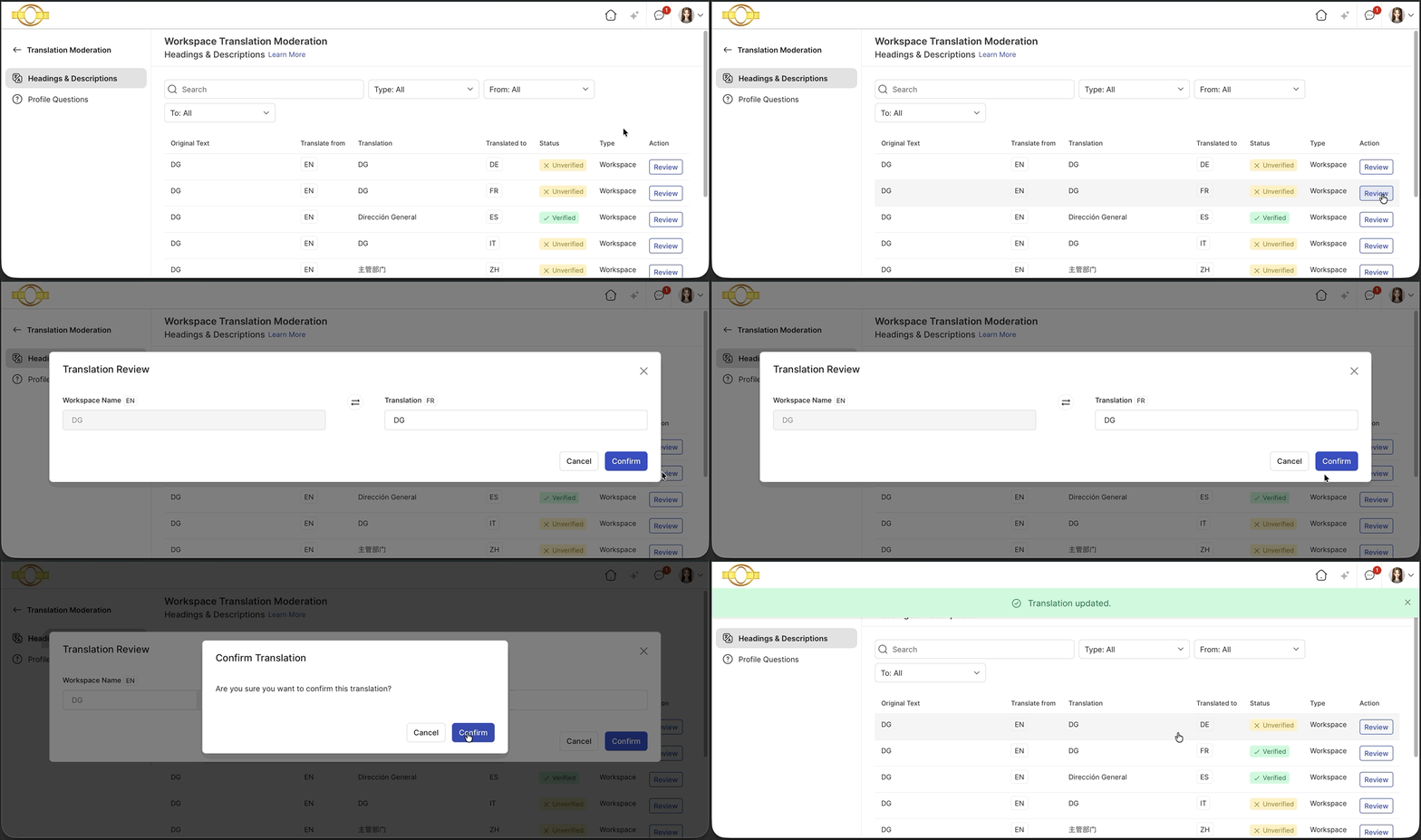
Selecting Review opens a pop-up window where a Translation Moderator can make necessary changes to a translation or verify that it is correct. Selecting Confirm within the pop-up saves the changes.
Help article on Community Review Translation
Exceptions
- Single-Scope Assignment: If a member is assigned as Translation Moderator for only the Workspace or only a single Community, the switch and community dropdown described in Switching Between Workspace and Community are not displayed, since only one scope is available to that member.
Frequently Asked Questions
Who can access the Translation Moderation option?
The Translation Moderation option is available only to a Workspace Translation Moderator or a Community Translation Moderator.
Can Ideas & Comments translation be limited to one campaign?
Yes. The Ideas & Comments section allows a Community Translation Moderator to review and translate ideas and comments from all campaigns or from a specific campaign.
Why doesn't the switch between Workspace and Community appear for every Translation Moderator?
The switch and community dropdown appear only for a member assigned as Translation Moderator for both the Workspace and a Community. A member assigned to only one scope does not see the switch, since there is nothing to switch between. See Exceptions above.
How are changes made during a translation review saved?
Selecting Confirm within the Review pop-up saves any changes made to the translation.
Related Articles