
Path: Workspace Homepage >> Navigation Panel >> Settings >> Security
| What is Workspace Security? |
|---|
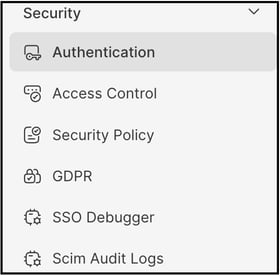
| Workspace Security is the central location where the Workspace Administrator manages workspace-wide security settings, including authentication methods, access controls, password and session policies, GDPR compliance, and single sign-on (SSO) diagnostics. |
Workspace Security gives the Workspace Administrator a central place to design how members sign in, who can access which areas, and what protections apply to their activity. Configuring these options allows appropriate login requirements to be enforced, access levels to be defined, and security controls to be applied that align with the organization's policies and risk profile.
Role Permissions
- Workspace Administrator: Configures workspace-wide security settings, including authentication methods, access controls, security policies, GDPR compliance settings, and SSO and SCIM diagnostics.
- All Other Roles (Administrators, Moderators & Members): Cannot access it.
TABLE OF CONTENTS
Authentication
Access Control
Security Policy
GDPR
SSO Debugger
SCIM Audit Logs
Frequently Asked Questions
Authentication
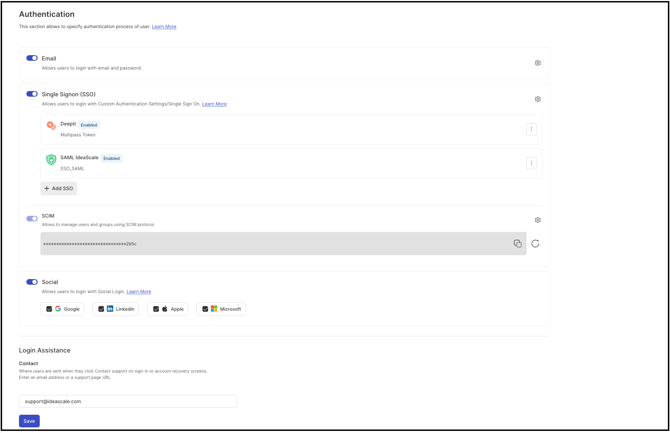
This setting determines which authentication methods are available in the workspace — for example, email and password, social login providers, or single sign-on (SSO). Configuring these options allows the Workspace Administrator to align the login experience with the organization's security standards while making it easier for members to access the platform using credentials they already trust.
Help article on Authentication
Access Control
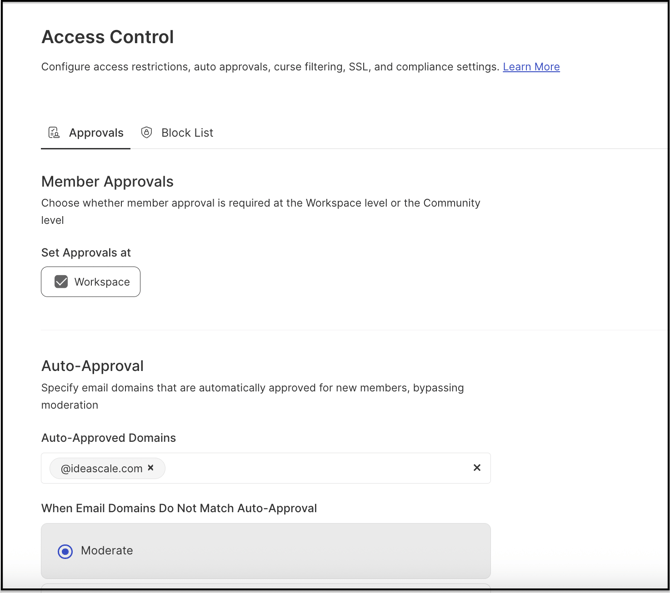
This setting allows the Workspace Administrator to configure how people access the workspace and how their activity is governed. Granular access controls and auto-approval rules can be defined here, and content filter options can be enabled — helping align security, moderation, and regulatory requirements in one place.
Help article on Access Controls
Security Policy
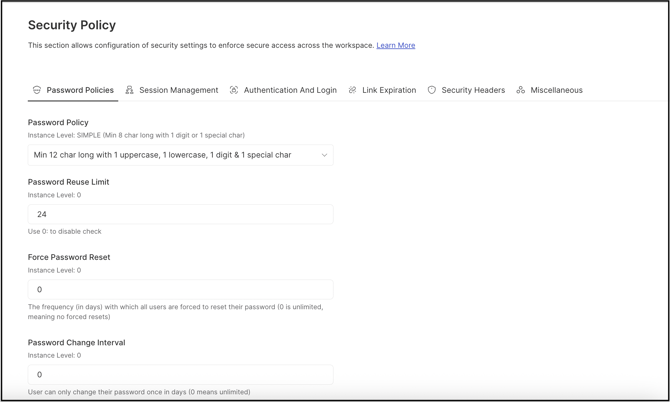
This setting enables the Workspace Administrator to define password policies, manage member sessions, control authentication and login processes, set link expiration times, and configure security headers according to specific requirements.
Help article on Security Policy
GDPR
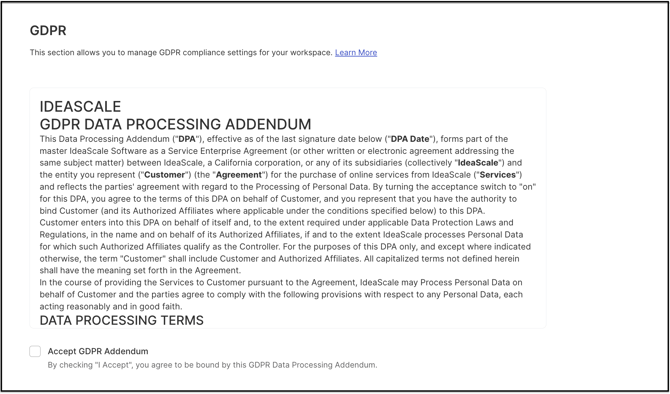
This setting helps configure how personal data is collected, stored, and processed in the workspace so that it aligns with GDPR requirements. Using these options, the Workspace Administrator can manage consent, data retention, and member rights, such as access and deletion, supporting a privacy-by-design approach.
SSO Debugger
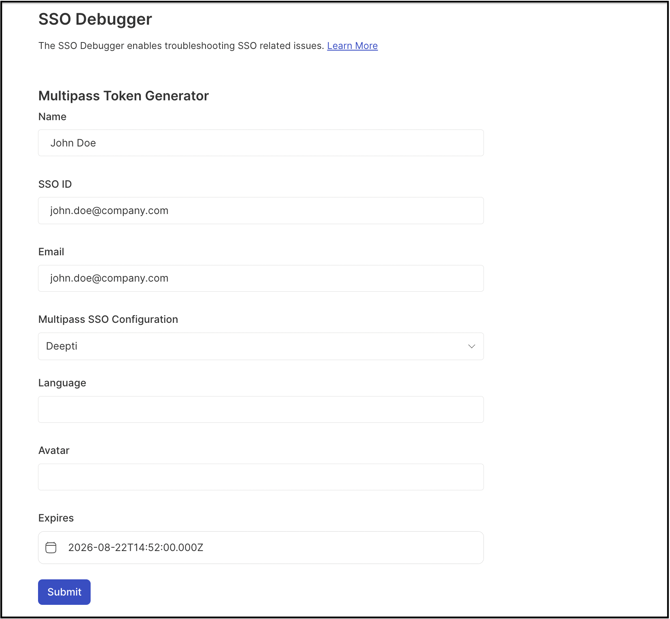
This setting provides tools to diagnose and resolve single sign-on (SSO) issues. Reviewing SSO requests, responses, and error details allows the Workspace Administrator to identify configuration problems, validate assertions and mappings, and ensure that members can securely sign in without interruption.
Help article on SSO Debugger
SCIM Audit Logs
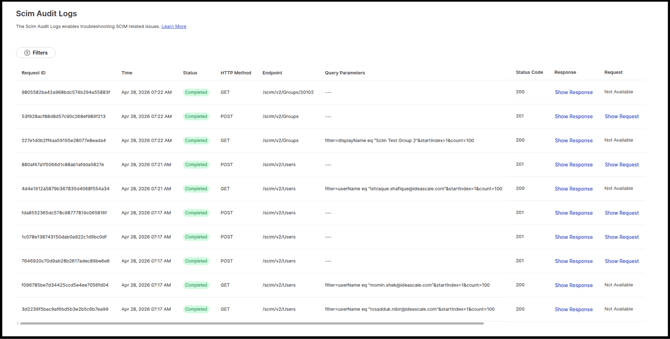
SCIM Audit Logs capture detailed records of every request the identity provider (IdP) makes through SCIM — including read, create, update, and delete operations. Reviewing these logs allows the Workspace Administrator to monitor how identities are provisioned and updated, verify that synchronization is working as expected, and quickly diagnose issues in the SCIM integration.
Help article on SCIM Audit Logs
Frequently Asked Questions
What areas can be configured under Workspace Security?
Six areas: Authentication, Access Control, Security Policy, GDPR, SSO Debugger, and SCIM Audit Logs.
Who can access the Workspace Security settings?
The Workspace Administrator manages the settings in this section. Whether other roles have partial or view-only access to any individual setting is (TO BE VERIFIED).
How are single sign-on (SSO) connection issues diagnosed?
Using the SSO Debugger, which allows the Workspace Administrator to review SSO requests, responses, and error details to identify configuration problems and validate assertions and mappings.
What do SCIM Audit Logs track?
Every request the identity provider (IdP) makes through SCIM, including read, create, update, and delete operations, so the Workspace Administrator can verify that identity synchronization is working as expected.
Related Articles