
Path: Workspace Homepage >> Navigation Panel >> Settings >> Email Settings >> Notification Emails >> Admin Notifications
| What are Workspace Admin Notifications? |
|---|
| Workspace Admin Notifications are the system-generated email alerts sent to Workspace Administrators, covering workspace-level activity and capacity thresholds. |
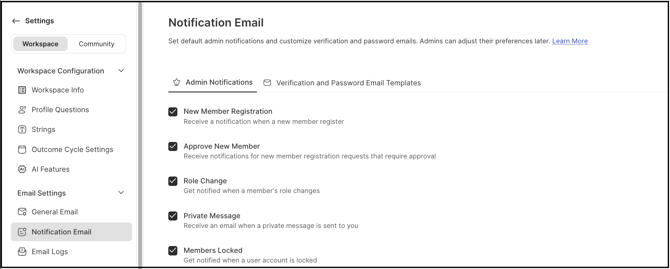
Notification Emails allow Workspace Administrators to control which system-generated messages are sent to admins. Administrators can select or clear the appropriate checkboxes to enable or disable each type of notification.
Role Permissions
- Workspace Administrator: Manages the Admin Notifications settings from the Notification Emails section, enabling or disabling each notification type using the corresponding checkboxes, and receives most of the notifications listed on this page.
- Workspace Owner: Receives the New Member Registration notification under the specific condition described in Exceptions below.
- Community Administrator, Campaign Administrator, Moderator & Members: Do not receive these emails.
Admin Notification Settings
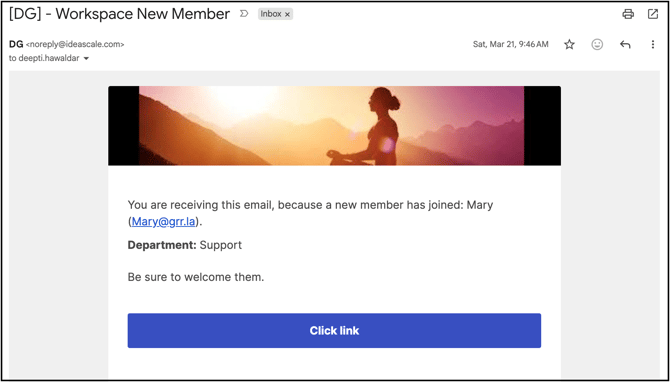
- New Member Registration: The Workspace Owner receives an email notification when a new member signs up to the workspace. See Exceptions below for the condition under which this notification is sent.
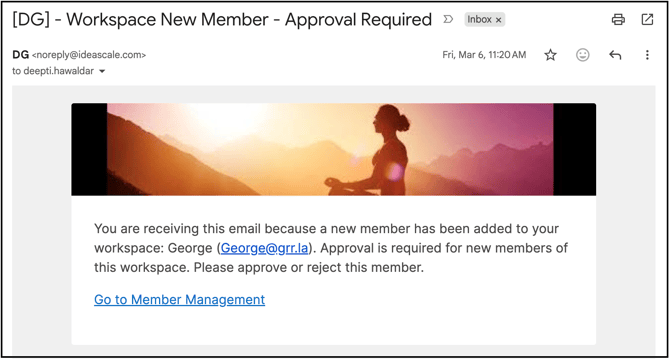
- Approve New Member: When the workspace-level New Member Approval setting is enabled, every Workspace Administrator receives an email to approve new members requesting to join the workspace.
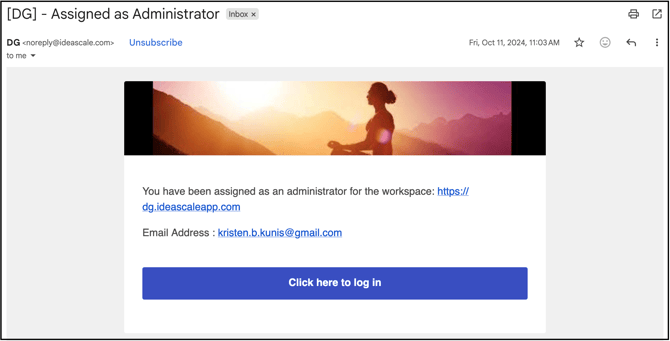
- Role Change: Members receive this email when assigned the Workspace Admin role.
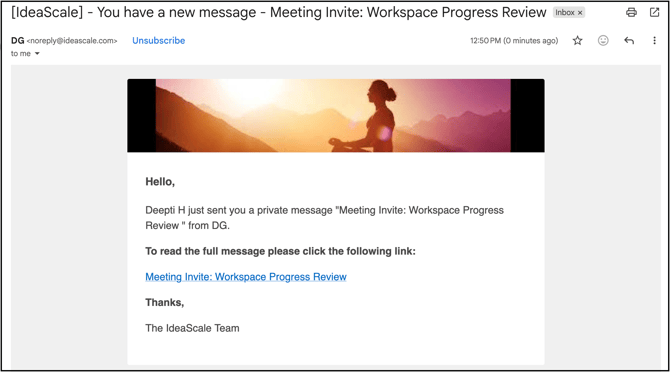
- Private Message: Enabling this setting allows Workspace Administrators to receive an email for every message sent to them.
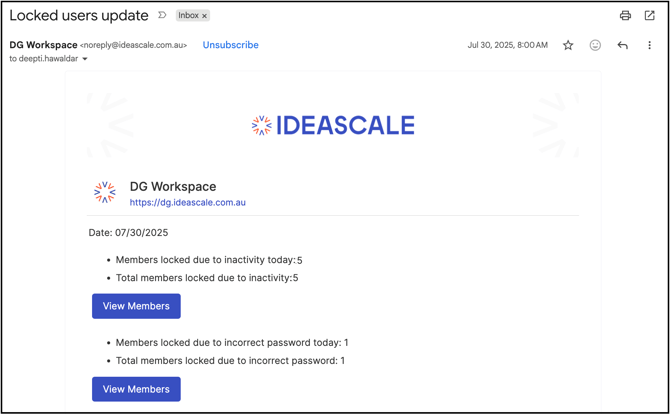
- Members Locked: Workspace Administrators receive an email when members are locked out of the community due to inactivity or an incorrect password.
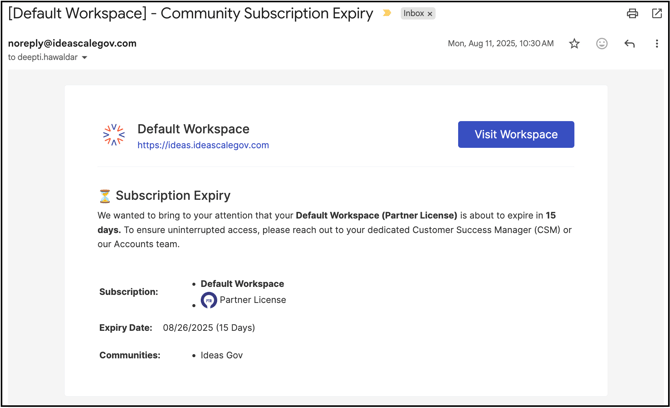
- Community Expiry: This email informs Workspace Administrators and the Billing Contact of an impending Community expiration. Workspace Administrators can customize the notification to be sent a specified number of days prior to the expiration date.
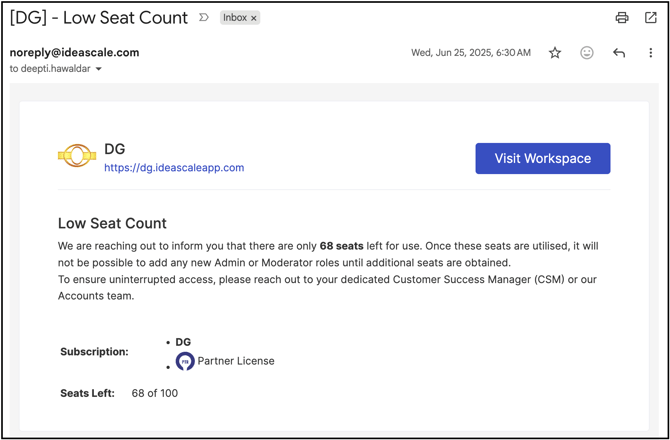
- Community Seat Limit Reached: This email alerts Workspace Administrators and the Billing Contact when the number of available seats is limited, providing early notice as the seat count approaches a specified lower threshold. Workspace Administrators can customize this lower threshold as needed.
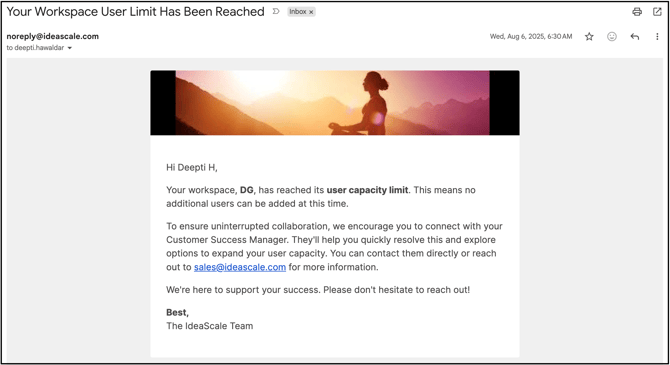
- Member Limit: Workspace Administrators receive an email notification when the maximum number of members permitted in the workspace has been reached.
- Import Reports: The Administrator who performs an import receives a success notification email. This email also includes details about any Excel rows that were not successfully imported, along with the reasons for the failures.

Exceptions
- New Member Registration: This notification is sent to the Workspace Owner only when the New Member Approval setting is disabled at the workspace level. When New Member Approval is enabled instead, the Approve New Member notification is sent to Workspace Administrators.
Frequently Asked Questions
Who receives the New Member Registration email?
Only the Workspace Owner receives this email, and only when the New Member Approval setting is disabled at the workspace level.
What happens when New Member Approval is enabled at the workspace level?
Every Workspace Administrator receives the Approve New Member email instead, prompting approval of new members requesting to join the workspace.
Can the advance notice for the Community Expiry notification be adjusted?
Yes. Workspace Administrators can customize the notification to be sent a specified number of days prior to the Community's expiration date.
Who is notified when the Community seat limit threshold is reached?
Workspace Administrators and the Billing Contact both receive the Community Seat Limit Reached email, based on a lower threshold Workspace Administrators can customize.
What does the Import Reports email include if some rows fail to import?
It includes details about any Excel rows that were not successfully imported, along with the reasons for the failures.
Related Articles