
Path: Workspace Homepage >> Navigation Panel >> Settings >> Community >> Community Configuration >> Community Info >> Terms of Service
Many organizations require users to accept Terms of Service (TOS) or Terms of Use and often wish to extend this practice to members participating in their communities. IdeaScale enables community administrators to configure and apply this requirement within their communities.
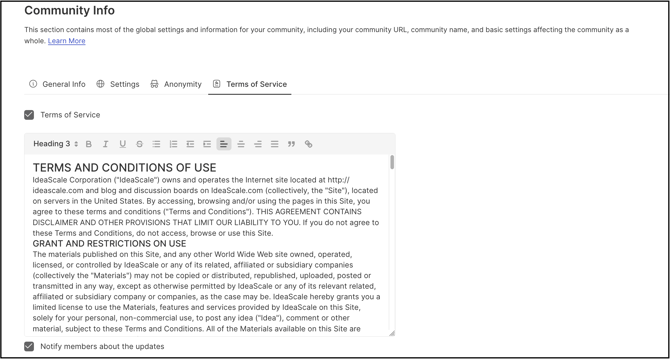
The Community Administrator can either insert their own Terms of Service in the Content field or retain the default terms provided by IdeaScale. When the updates are complete, click Save.
They can check the checkbox for Notify members about the updates to have the members accept the TOS again with the updated content.
Acceptance of TOS by Users
Once the community admin has turned ON the Terms of Service setting and saved it, new users registering for participation will be asked to click a checkbox to accept the terms of service.
New members and Existing members of the community will see the Terms of Service and will be required to accept it on their first login after the community administrators have turned on the setting. Upon login to Workspace, system will show a message 'You have not accepted this Community's Terms of Service. Click here to read.' You can either click on the link or you will be directed to the TOS page if no action is performed for a few seconds.
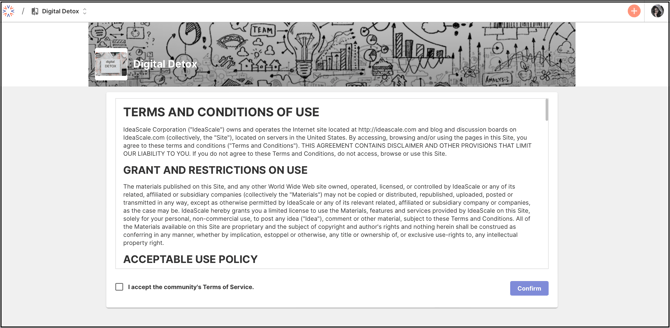
Every time the TOS is updated the members of the community will be asked to accept the TOS in the next login.
To enabled campaign level TOS, see 'Campaign Brief' section - Help Article on Campaign Settings