
We’re excited to announce major upgrades coming soon to IdeaScale. These updates are designed to give administrators more control, simplify campaign operations, and make overall community management smoother.
New Community Admin Panel
A modern, intuitive home for all administrative tasks—designed for speed, clarity, and ease of use.
Valuable Enhancements
-
🔍 Smarter Setting Search
Instantly find any setting by typing a keyword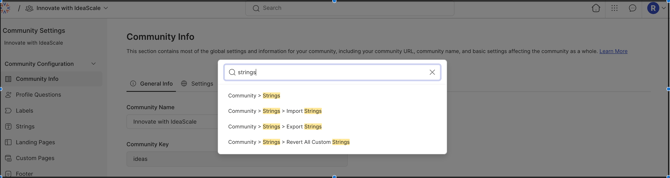
-
Refreshed Interface
Cleaner layout, faster load times, and improved usability across all pages. -
Logical Grouping of Settings to Improve User Understanding
Settings are arranged in clear, meaningful categories so users can quickly see where each option belongs.
-
Fully Responsive Design
Optimized for desktop, tablet, and mobile for a smooth experience everywhere. -
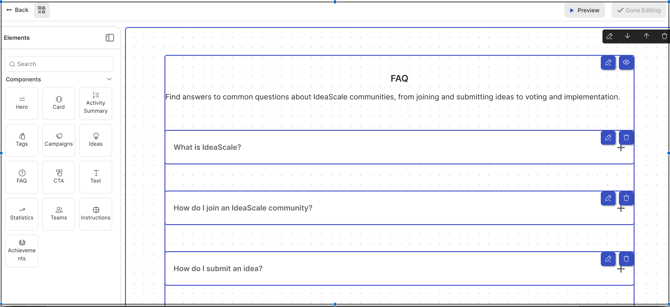
Custom Page Builder
Build attractive custom pages using ready-made components.
Major Changes to Note
-
Admins & Moderators Removed from Community Setting :All Administrator and Moderator assignments—including Custom Admins , Custom field Moderators and Translation moderators—are now handled entirely within Member Management.
-
Group-Based Moderation removed : This feature has been discontinued.
- Tags Separated: Community Settings now only show Community Tags. Campaign tags and their controls have moved to the Campaign level
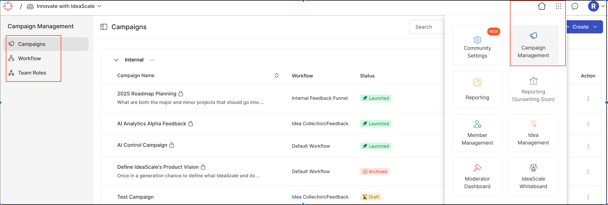
- Campaign Manager is now a standalone app : Access it directly through the Apps Menu, no longer through Community Settings.
- Workflow and Team Roles
Both sections now live inside the Campaigns app for better campaign-focused control.
Community Settings Moved to Campaign Level
The following settings now reside within each campaign
-
Idea & Comment Approval
-
Customize Size Behavior
-
General Vote Settings
-
Idea Submission Settings
-
Idea Detail Screen Settings
-
-
Idea Owners
-
Campaign Tags
For comprehensive instructions and step-by-step guidance on using the New Community Settings , please refer to our detailed help article.
New Campaign Manager
Valuable Enhancements
-
Instant Access: Campaigns can be opened directly from the Bento box — no need to navigate through community settings.
-
Quick Campaign Setup: Create a campaign in minimal steps — perfect for fast launches, with the option to refine later.
-
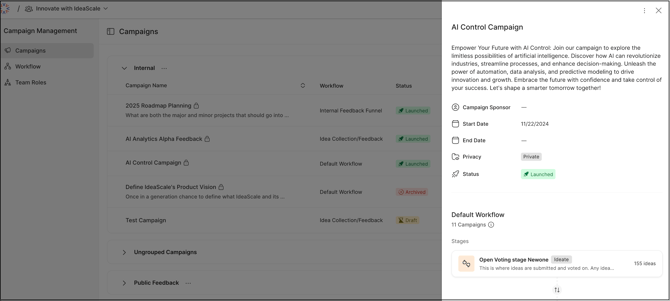
Modern, Visual Interface: A sleek side panel view shows complete campaign details without opening edit mode.
-
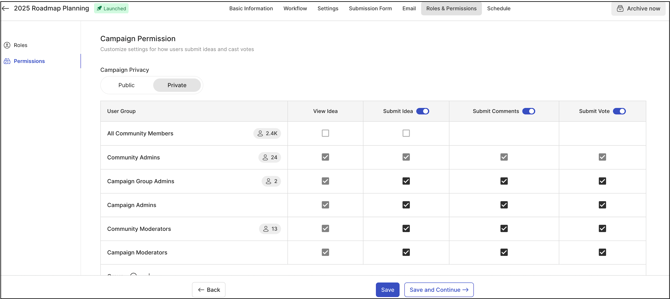
Granular Controls: Campaign-level settings let admins fine-tune permissions — e.g., who can submit, vote, or only view ideas.
-
Permission Tables: A clear, visual overview of participation rights across different user groups.
-
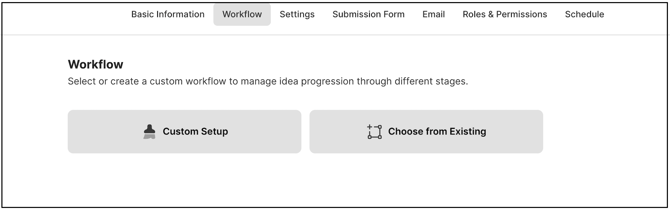
Integrated Workflows: Set up and assign workflows while creating a campaign,
-
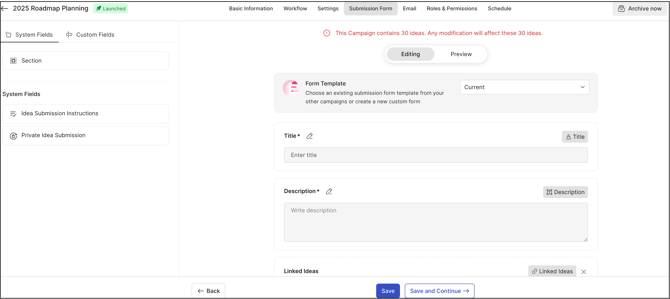
Redesigned Idea Form: Better organized layout, searchable custom fields, and easy preview/edit options.
-
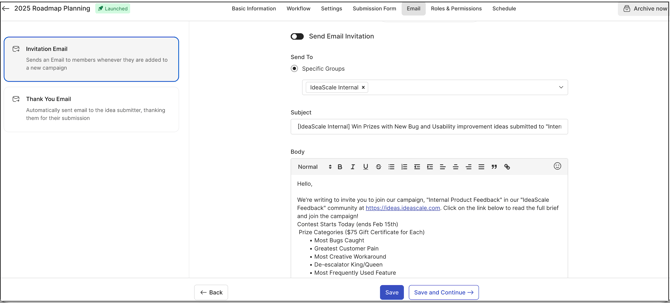
Personalized Messaging: Each campaign can have custom invitation and thank-you messages for idea submissions.
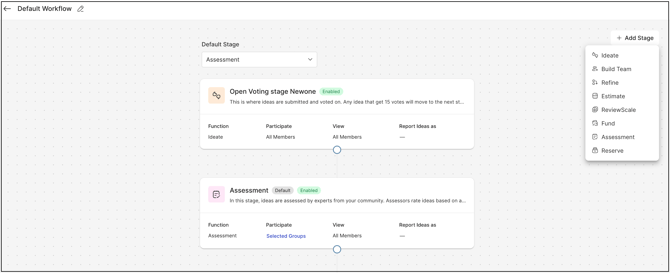
- Enhanced Workflow Builder :A modern, easier-to-use builder that now lets you assign custom colors to stages for clearer, more organized workflows.
-
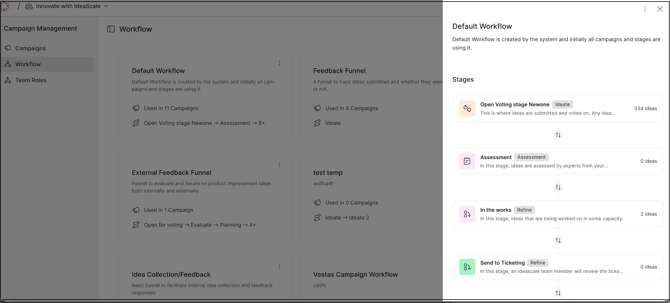
Workflow Side Panel: Side panel view showing workflow details, campaign usage, and number of ideas per stage.
For comprehensive instructions and step-by-step guidance on using the New Campaign Settings , please refer to our detailed help article.