
Path: Workspace Homepage >> Navigation Panel >> Settings >> Community >> Integrations >> All Apps >> LinkedIn
| What is LinkedIn Integration? |
|---|
| LinkedIn Integration is a connection between an IdeaScale community and a LinkedIn account that automatically posts a LinkedIn update, with a link to the idea, when an idea reaches a defined voting or commenting threshold. |
The Community Administrator connects an IdeaScale community to either a dedicated LinkedIn account created for the community or an existing personal LinkedIn account. Once connected, the Community Administrator sets threshold values so that ideas reaching a specified level of engagement are posted to LinkedIn automatically, without further manual action.
Role Permissions
- Community Administrator: Authorizes the connection between the IdeaScale community and a LinkedIn account, submits a test post to confirm the connection, and configures the Threshold Votes and Threshold Comments settings that control when ideas post automatically.
TABLE OF CONTENTS
Configuring Posting Thresholds
Idea Posts on LinkedIn
Exceptions
Frequently Asked Questions
Connecting IdeaScale to LinkedIn
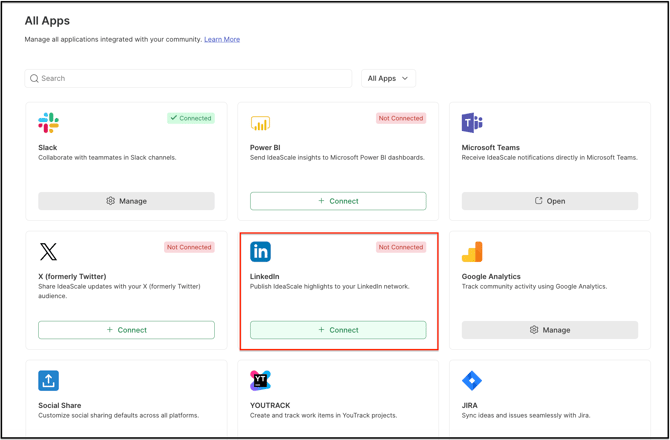
- Navigate to the path above to open the LinkedIn app.
- Switch on Authorize IdeaScale to Connect to Your LinkedIn Account. A screen requesting access to LinkedIn is displayed.
.webp?width=591&height=450&name=downloads%20(40).webp)
3. Enter LinkedIn credentials to log in and proceed. An "Application has been successfully installed" message is displayed, and a settings link become available.
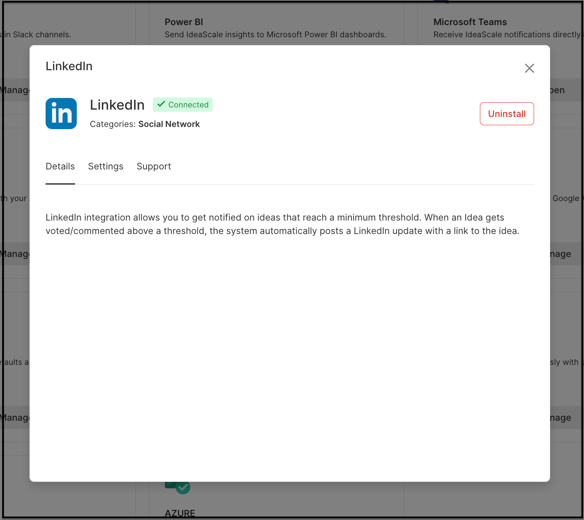
4. Select the settings link to open the LinkedIn settings section. Enter test text in the field provided and submit a test LinkedIn update to confirm the integration was successful.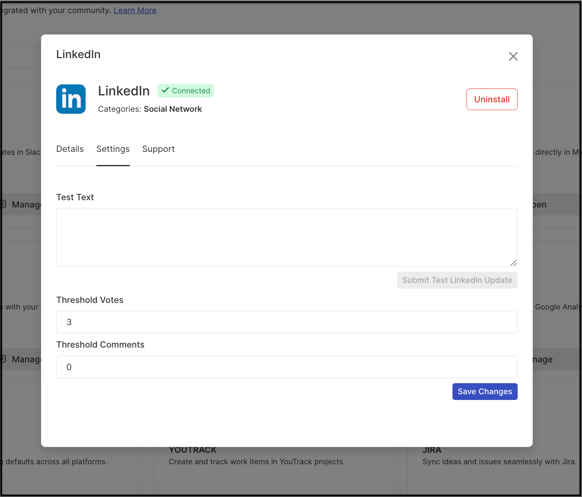
Configuring Posting Thresholds
The LinkedIn settings section includes the following fields:
- Threshold Votes: The number of votes an idea must reach before it is automatically posted to LinkedIn.
- Threshold Comments: The number of comments an idea must reach before it is automatically posted to LinkedIn.
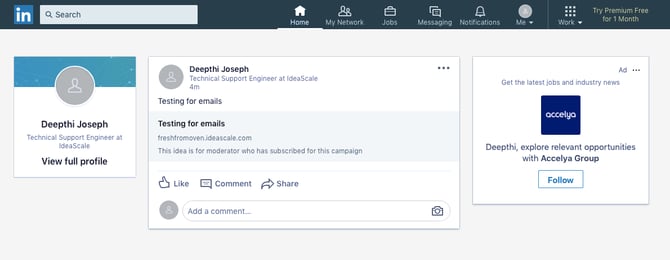
Idea Posts on LinkedIn
Once an idea meets a configured threshold, the system posts a LinkedIn update automatically, including a link back to the idea on IdeaScale.
Exceptions
- Both Threshold Votes and Threshold Comments configured: The idea posts to LinkedIn as soon as either threshold is met, or only once both thresholds are satisfied.
Frequently Asked Questions
Does the Community Administrator need a separate LinkedIn account for the community?
No. The Community Administrator can either create a separate LinkedIn account for the community or connect an existing personal LinkedIn account.
How is a successful LinkedIn connection confirmed?
After authorization, an "Application has been successfully installed" message is displayed and a settings link appears. From the settings section, the Community Administrator can enter test text and submit a test LinkedIn update to confirm the connection is working.
What causes an idea to post to LinkedIn automatically?
An idea posts automatically once it reaches the configured Threshold Votes or Threshold Comments value, whichever is defined in the LinkedIn settings.
Related Articles