
Path: Community Topbar >> Search
| What is the Idea Search Tool? |
|---|
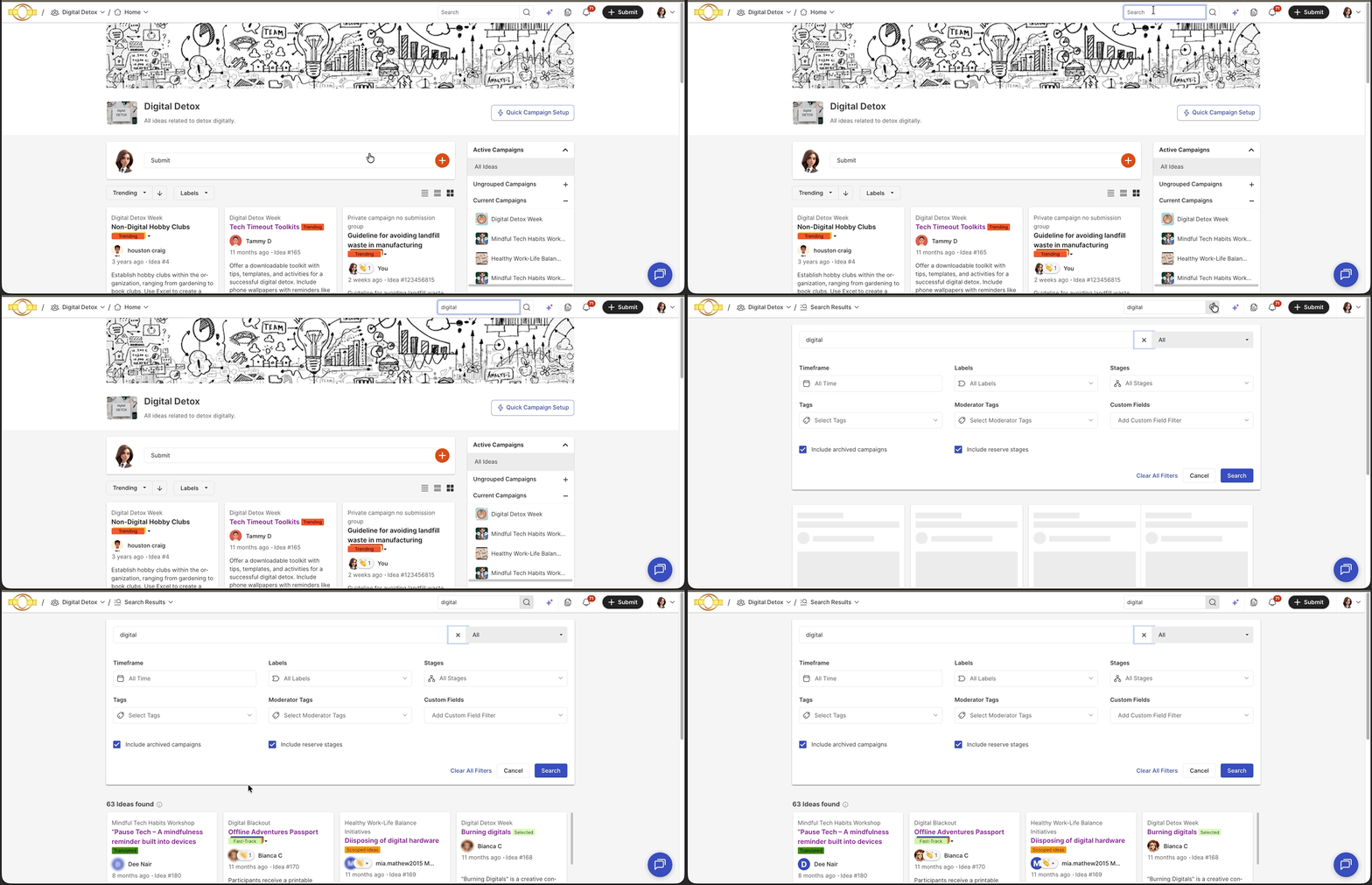
| The Idea Search Tool is a community feature that allows searching for ideas, campaigns, and members using filters such as Time Frame, Labels, Stages, Tags, Moderator Tags, and Custom Fields. |
Search results can be scoped to All, Ideas, Campaigns, or Members, with additional filter options appearing depending on the scope selected. The filter options available, and the results returned, depend on the permission level of the member performing the search.
Role Permissions
(TO BE VERIFIED): The source does not specify which roles have general access to the Idea Search Tool; the entries below reflect only the role-specific filter restrictions confirmed in the source.
- Members: Can search for Ideas, Members, Campaign using filters.
- Community Moderator, Campaign Moderator: Can additionally filter search results using Moderator Tags.
- Workspace Administrator who is also the Community Administrator: Can view Workspace-level Member Profile Questions marked as Administrative Field or Private Field when filtering by Ideas or Members.
Filters
The All (Ideas, Campaigns, and Members) search displays the following filters.
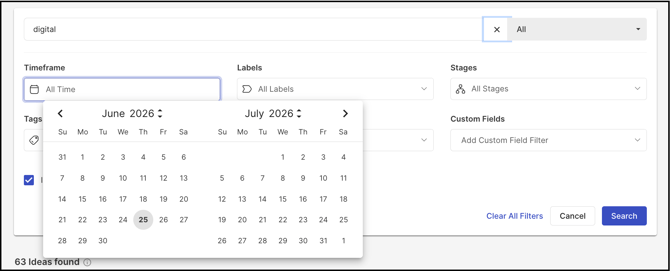
- Time Frame: Provides a date range for the search.
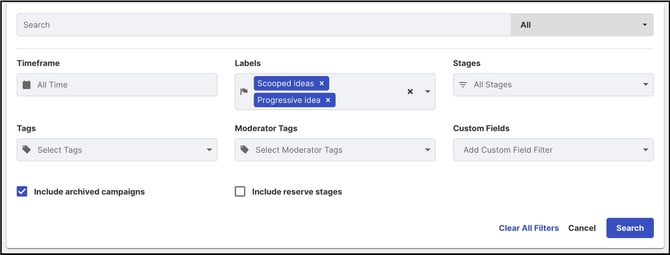
- Labels: Allows selecting multiple system Labels and custom Labels at a time; only clickable Labels are included.
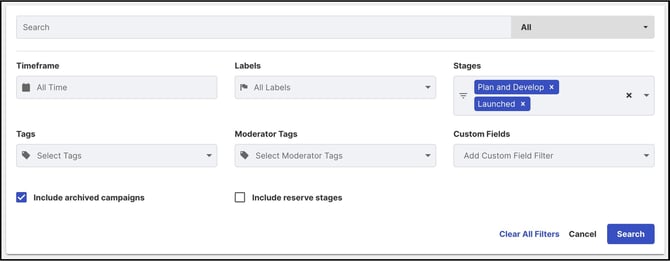
- Stages: Allows selecting multiple Stages from multiple funnels at a time.
- Tags: Allows selecting multiple Tags at a time.

- Moderator Tags: Allows selecting multiple Moderator Tags at a time. Note: Visible only to the community's Community Moderators and Campaign Moderators.

- Custom Fields: Displays the idea's Custom Fields; multiple Custom Fields can be selected at a time, and selecting one opens a dropdown of answer options. Only single-choice or multiple-choice Custom Fields appear here.
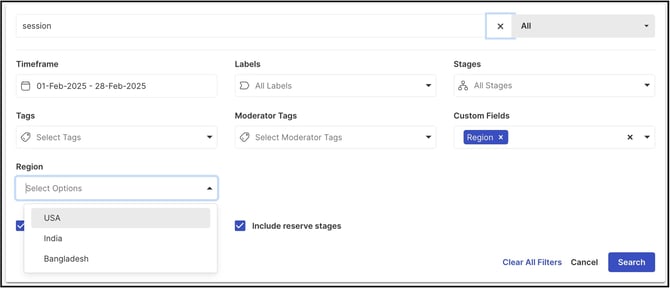
- Include Archived Campaigns: Enabling this option includes both archived and active campaigns, along with their ideas, in the search results.
- Include Reserve Stages: Enabling this option includes ideas in Reserve stages in the search results.
Searched Result Filter
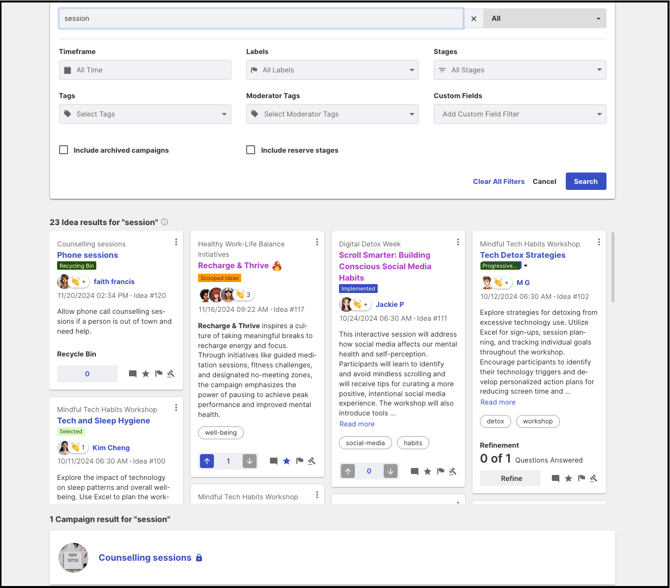
The searched result can be filtered for Ideas, Campaigns, Members, or All of them.
- All: Displays ideas and campaigns, followed by members, that match the search.
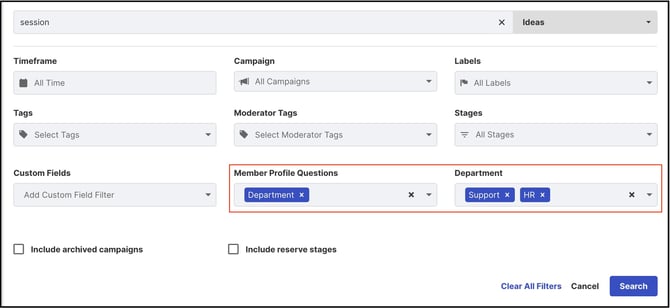
- Ideas: Filtering by Ideas alone displays additional filter options, including Campaigns and Member Profile Questions. Multiple Campaigns, Member Profile Questions, and their answer options can be selected at a time.
- Campaigns: Displays all active campaigns in a dropdown; multiple campaigns can be selected at a time.
- Member Profile Questions: Displays Workspace and Community Member Profile Questions with single-choice or multiple-choice types; multiple questions and answer options can be selected at a time. Note: Workspace-level Member Profile Questions marked as Administrative Field or Private Field are visible only to a Workspace Administrator who is also the Community Administrator.
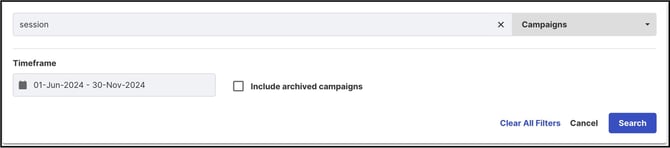
- Campaigns: Filtering by Campaigns alone displays only the Time Frame filter, along with the Include Archived Campaigns option.
- Members: Filtering by Members alone displays only the Time Frame filter and Member Profile Questions. Note: The same Administrative Field and Private Field restriction described under Ideas applies here.
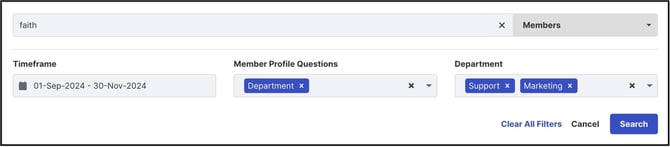
Note: All filter options and search results depend on the permission and authorization level of the member performing the search.
Frequently Asked Questions
Can multiple filters be applied to a search at the same time?
Yes. Search results can be narrowed using more than one filter at once, and most individual filters — including Labels, Stages, Tags, Moderator Tags, and Custom Fields — allow multiple values to be selected within that filter as well.
Who can see the Moderator Tags filter?
The Moderator Tags filter is visible only to the community's Community Moderators and Campaign Moderators.
What happens when Include Archived Campaigns is enabled?
Search results include both archived and active campaigns, along with their ideas, instead of active campaigns only.
Do search results differ depending on who is searching?
Yes. Available filter options and returned results depend on the permission and authorization level of the member performing the search. For example, Moderator Tags and Administrative Field or Private Field Member Profile Questions are visible only to specific roles.
Related Articles