
Path: Workspace Homepage >> Navigation Panel >> Members>> Community >> Groups
| What are Groups? |
|---|
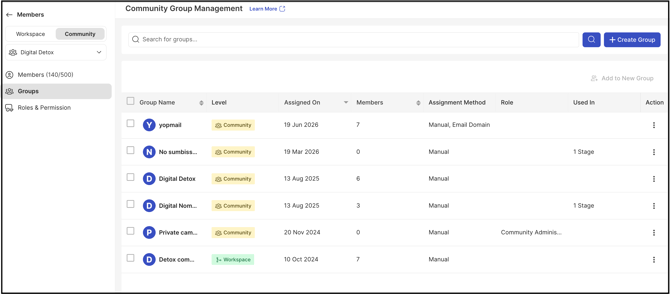
| Groups organize community members according to shared characteristics or roles, and are used to assign idea submission, commenting, and idea ownership privileges, or to enable group-based moderation. |
Participation data can also be segmented by group, giving Administrators visibility into engagement across specific member segments.
Role Permissions
- Workspace Administrator: Creates and manages groups at the workspace level, and can edit a group after creation to change its assignment method.
- Community Administrator: Creates and manages groups at the community level, including adding members, assigning group Administrators, and deleting community-level groups
TABLE OF CONTENTS
Create Group
Add to New Group
Action Section
Search Commands
Exceptions
Frequently Asked Questions
Create Group
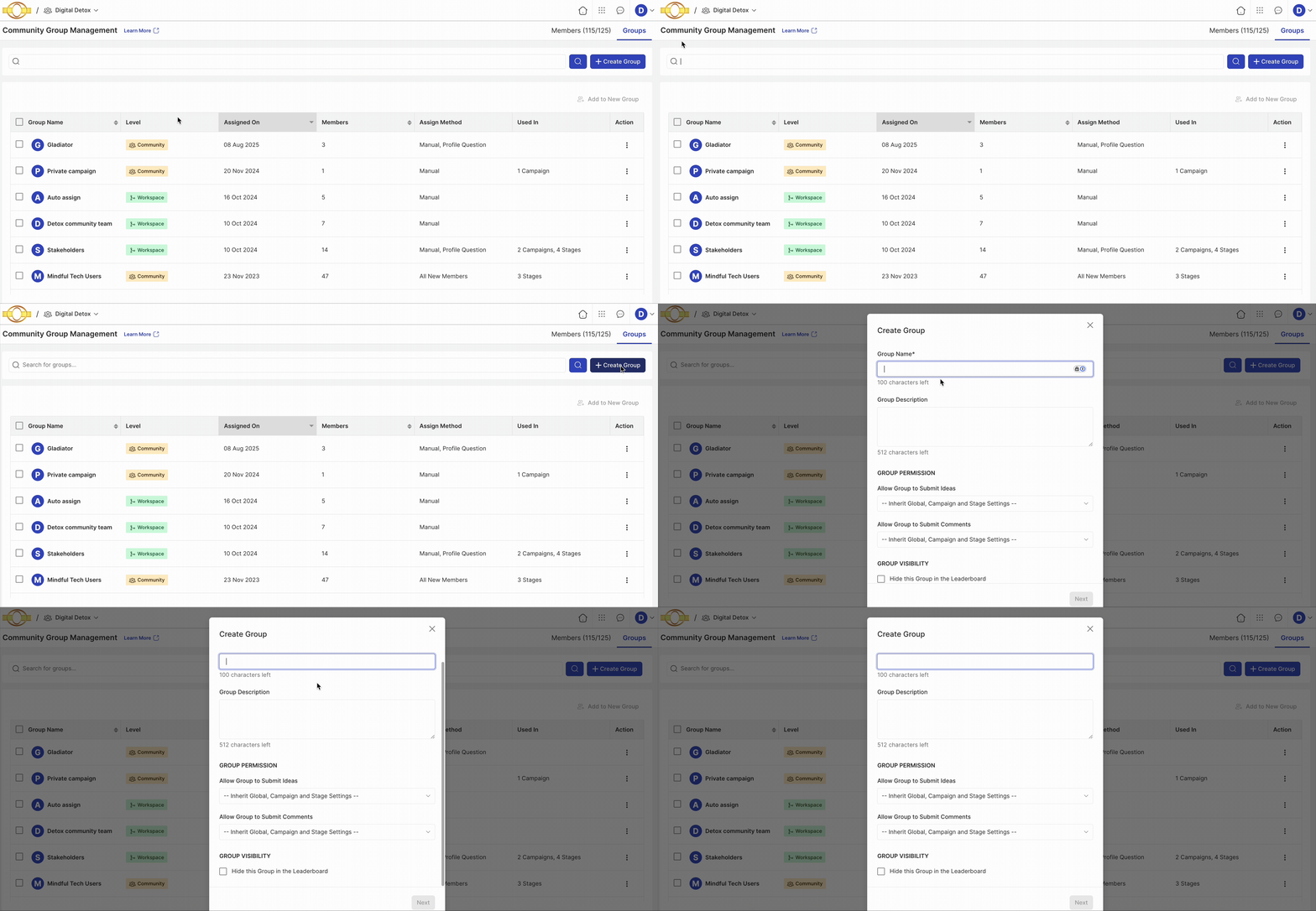
A group can be created with a manual and/or automatic member assignment method.
Help Article on Group creation
Add to New Group
Members from different groups can be added to a new group using the Add to New Group option..gif?width=670&height=311&name=Screen-Recording-2025-08-13-at-1%20(1).gif)
The Add to New Group option does not become active unless 2 or more groups are selected. Once the groups are selected, select the option to open the group creation pop-up, enter the Group Name and other details, and select Finish.
The assignment method section is not shown when a group is created this way. It defaults to Manual assignment. A Workspace Administrator can change this later by editing the group if needed.
Action Section
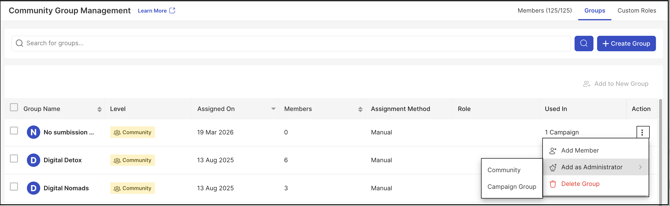
The More (3 dots) option under the Action column consists of up to 4 actions:
.gif?width=670&height=311&name=Screen-Recording-2025-08-13-at-1%20(2).gif)
Note: The Add Member option is available only for groups with the Manual assignment method enabled.
Add as Administrator: Assigns the entire group as a Community or Campaign Group Administrator. If a group is already assigned as Administrator, the Remove as Administrator option appears instead. See Exceptions below for what happens if a member of the group already holds the role individually.
Delete Group: Deletes a group from the Community..gif?width=670&height=311&name=Screen-Recording-2025-08-13-at-1%20(4).gif)
Note: A group must be unassigned from all associated communities before it can be deleted from the Community.
Unassign Group: Visible only for groups created at the workspace level. When used, the Community Administrator cannot add members to or delete that group..gif?width=670&height=311&name=Screen-Recording-2025-08-13-at-1%20(5).gif)
Search Commands
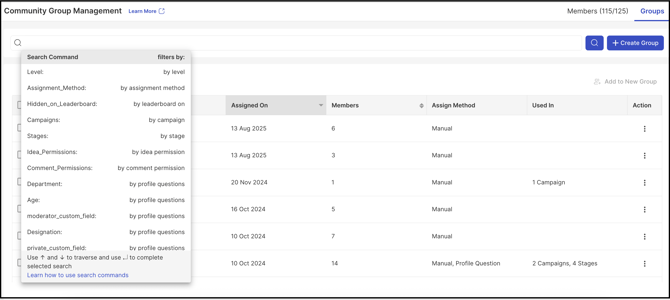
Search Commands allow groups to be found using simple commands from a dropdown. Each filter has corresponding values or details to be selected to search for groups meeting the search criteria.
Exceptions
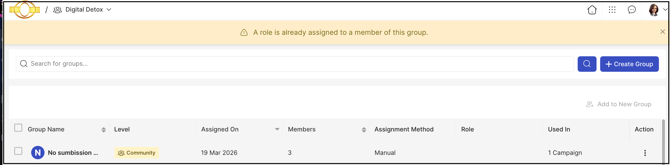
- A member of the group already holds an individually assigned Administrator role: The system displays an alert stating that a role is already assigned to a member of the group. The Administrator must either unassign that member and then add the whole group, or assign Administrators individually from Member Management.
Frequently Asked Questions
What happens if a Group is deleted while still assigned to communities?
A group must be unassigned from all associated communities before it can be deleted from the Community.
Why is the Add Member option unavailable for some groups?
The Add Member option only appears for groups using the Manual assignment method. Groups using automatic assignment do not display this option.
Can the assignment method be changed after a group is created through Add to New Group?
Yes. Groups created this way default to Manual assignment, and a Workspace Administrator can change the assignment method later by editing the group.
What is the difference between deleting and unassigning a Group?
Delete Group removes a group from the Community entirely, and requires the group to first be unassigned from all associated communities. Unassign Group, available only for workspace-level groups, removes the group's assignment from a community without deleting it — after which the Community Administrator cannot add members to or delete that group.
Related Articles