
Path: Profile Page >> Settings >> Export Profile Data
| What is Export Profile Data? |
|---|
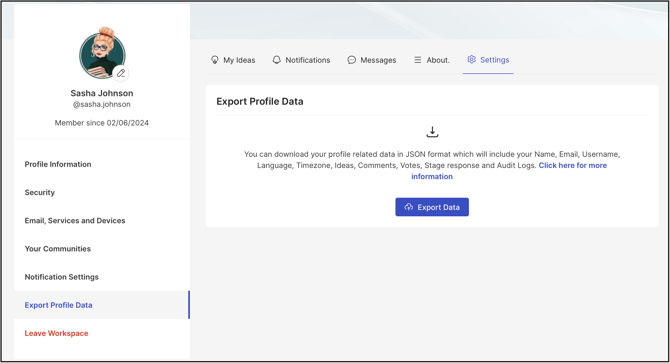
| Export Profile Data is a personal settings feature that allows a member to download a copy of their own profile information and platform activity as a JSON file. |
Export Profile Data allows a member to generate and download a personal copy of profile details and platform activity — including submitted ideas, comments, votes, stage responses, and audit logs — directly from their own profile page. Once the export is initiated, the compiled data is delivered to the member's registered email address as a JSON file within a zip folder.
Role Permissions
- All Roles (Administrators, Moderatores & Members): Can access Export Profile Data from their own profile page and export only their own personal data; no other member's data can be exported through this feature.
TABLE OF CONTENTS
Access Export Profile DataData Included in the Export
Export Log
Frequently Asked Questions
Access Export Profile Data
Export Profile Data is accessed by navigating to the profile page and selecting Settings, then locating the Export Profile Data section.
Data Included in the Export
Selecting Export Data compiles the following profile information and activity:
- Name: The member's registered name.
- Email: The email address associated with the member's account.
- Username: The member's username.
- Language: The language set in the member's profile.
- Timezone: The time zone set in the member's profile.
- Ideas: Ideas submitted by the member.
- Comments: Comments posted by the member.
- Votes: Votes cast by the member.
- Stage Response: Responses submitted by the member at stage-specific steps.
- Audit Logs: A log of actions taken by the member on the platform.
Export Log
Selecting the Export Data button starts the export process. A success message appears confirming the process has been initiated, and the export log updates below the button to show the request progress.
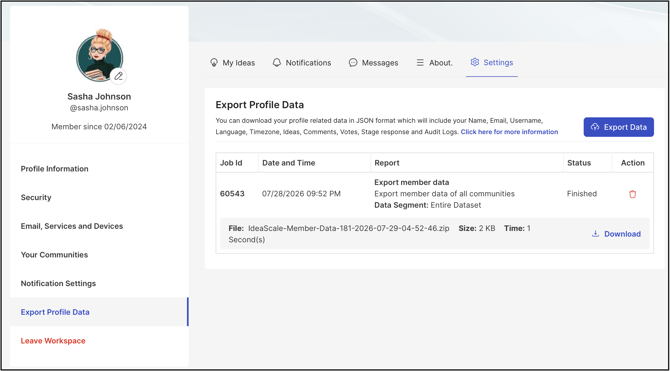
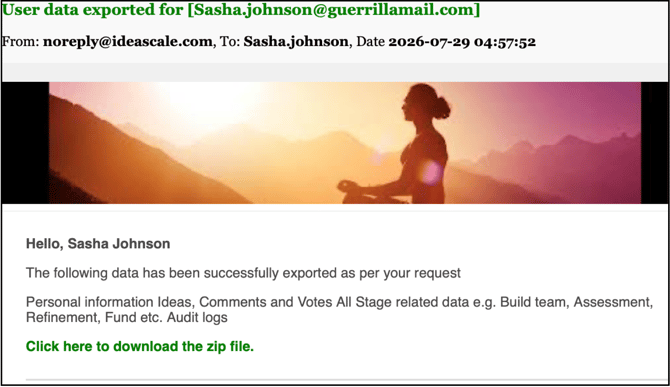
Once processing completes, the export will show the Finished status & will be available for download. The member also receives an email containing a zip file with the exported data.
The member may also choose to delete the export log by clicking on the Recycle bin icon under Action.
Note: The exported data is delivered in JSON format inside the zip file.
View of the JSON format.
%20copy.jpg?width=670&height=355&name=downloads%20(6)%20copy.jpg)
Frequently Asked Questions
Can a member export another member's profile data?
No. Export Profile Data only exports the data belonging to the member's own profile, and it must be initiated from that member's own profile page.
What format is the exported data delivered in?
The exported data is delivered as a JSON file inside a zip folder, sent to the email address associated with the member's account.
What happens after the Export Data button is selected?
A success message appears confirming the export process has been initiated, and the export log appears below the button showing the request progress.
What information is included in the profile export?
The export includes the member's Name, Email, Username, Language, Timezone, Ideas, Comments, Votes, Stage Response, and Audit Logs.
Related Articles
Last Updated: July 29, 2026