![ideascale-icon.png]](https://help.ideascale.com/hs-fs/hubfs/ideascale-icon.png?width=40&height=40&name=ideascale-icon.png)
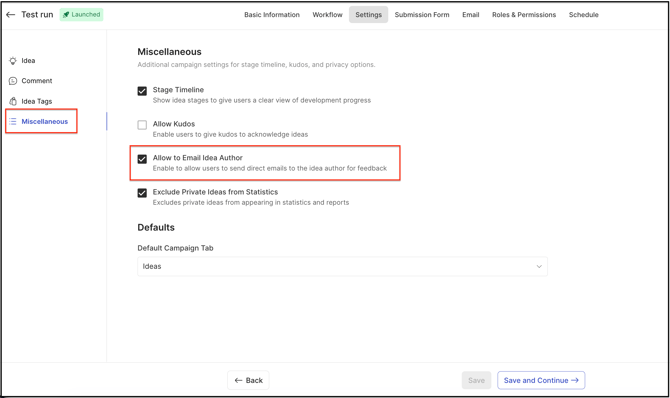
Path: Community Topbar >> Apps icon >> Campaign Management >> Edit Campaign >> Settings >> Miscellaneous.
Email Author is a feature that allows the Global moderator and Campaign moderator to send an email to the Idea Author for further communication and/or sharing any information. Moderators can also send the default email or customize the email before sending it.
Email Author
-
Click on the More icon (3 dots) and from the dropdown select E-mail Author.
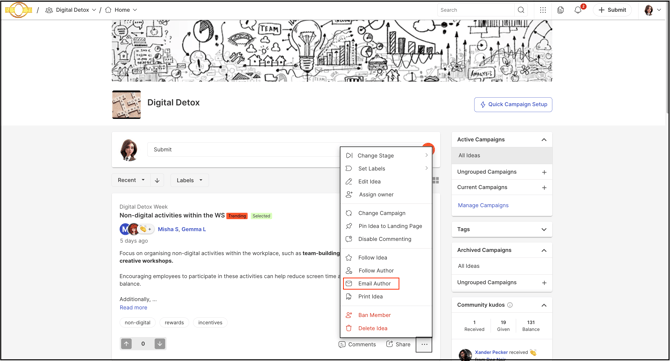
2. A new page opens for customization.
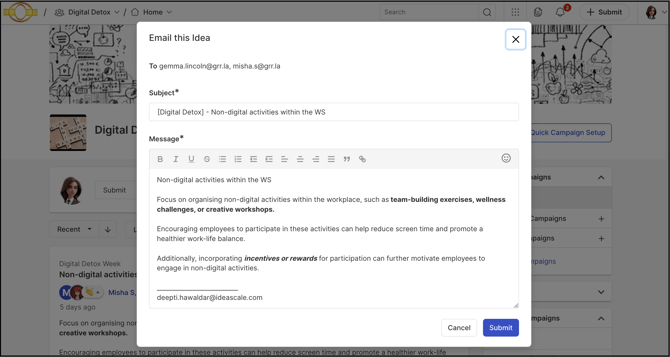
3. To address (Receiver address) is generated by default.
4. From address (Sender address) is also generated by default.
5. From address (Sender address) is also generated by default.
6. Edit the Message if the sender also needs to customize it.
7. Click on Submit button.
Both the Administrators can also send an email to the Idea Author if they are assigned as Global moderator/Campaign moderator.
Notification
Idea Author has received a notification via email. A screenshot is added below:
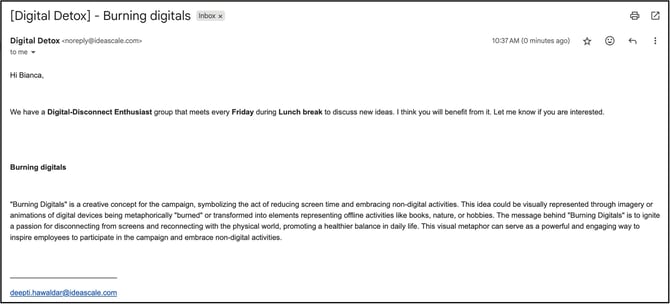
Enabling the 'E-mail Author' feature
When the Community administrator or Campaign Administrator can enable the E-mail Author feature by clickig the checkbox "Allow to E-mail Idea Author" switch from the path: Campaign Management >> Edit Campaign >> Settings >> Miscellaneous