
Path: Workspace Homepage >> Navigation Panel >> Settings >> Community >> Community Configuration >> Strings
| What are Community Strings? |
|---|
| Community Strings are the individual pieces of text displayed throughout a community — including labels, terminology, and notification email content — that can be translated or customized to align with organizational language and tone. |
The Languages & Strings tool allows a Workspace Administrator to change a community's default English language to any supported language and to refine individual strings, in English or in a translated language, to match organizational terminology. For example, the default term "Campaign" can be replaced with "Category," or the language used in notification emails can be adjusted. All configuration is managed centrally within the Languages & Strings tool.
Role Permissions
- Workspace Administrator: Can search for and customize strings, import and export strings, revert all customized strings, and change the community's default language.
TABLE OF CONTENTS
Search Strings
Import Strings
Export Strings
Revert All Custom Strings
Frequently Asked Questions
Search Strings
The Search Strings section allows the language and terminology used within the workspace to be customized.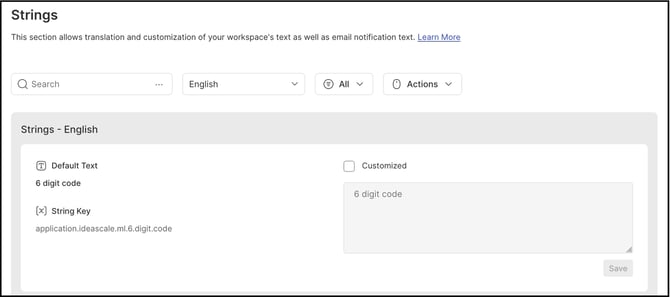
A Workspace Administrator can modify any text using the search feature:
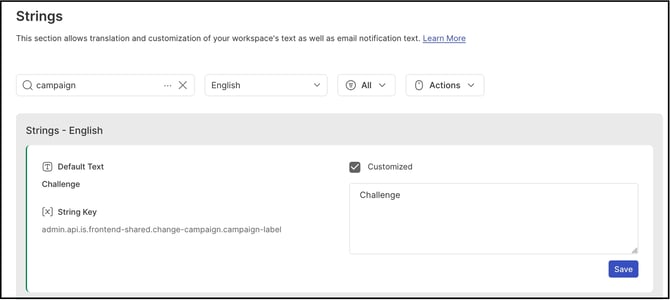
- Select the desired language and enter the word or string to change in the search field.
- A list of matching strings that can be edited appears.
- Select the Customized checkbox, edit the string, and select Save.
Note: A customized string is denoted by a green line border on the left of the string.
-
Clear the Customized checkbox to revert the string to its original text.
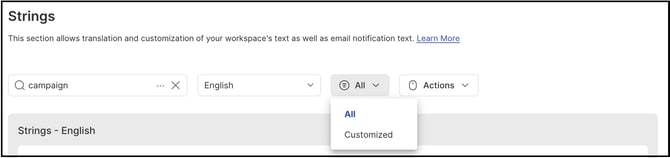
A third dropdown filters the list below to show All strings or Customized strings only.
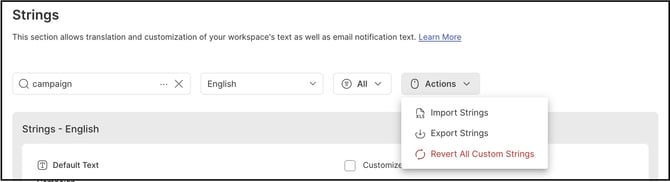
The Actions dropdown contains the Import Strings, Export Strings, and Revert All Custom Strings options.
Import Strings
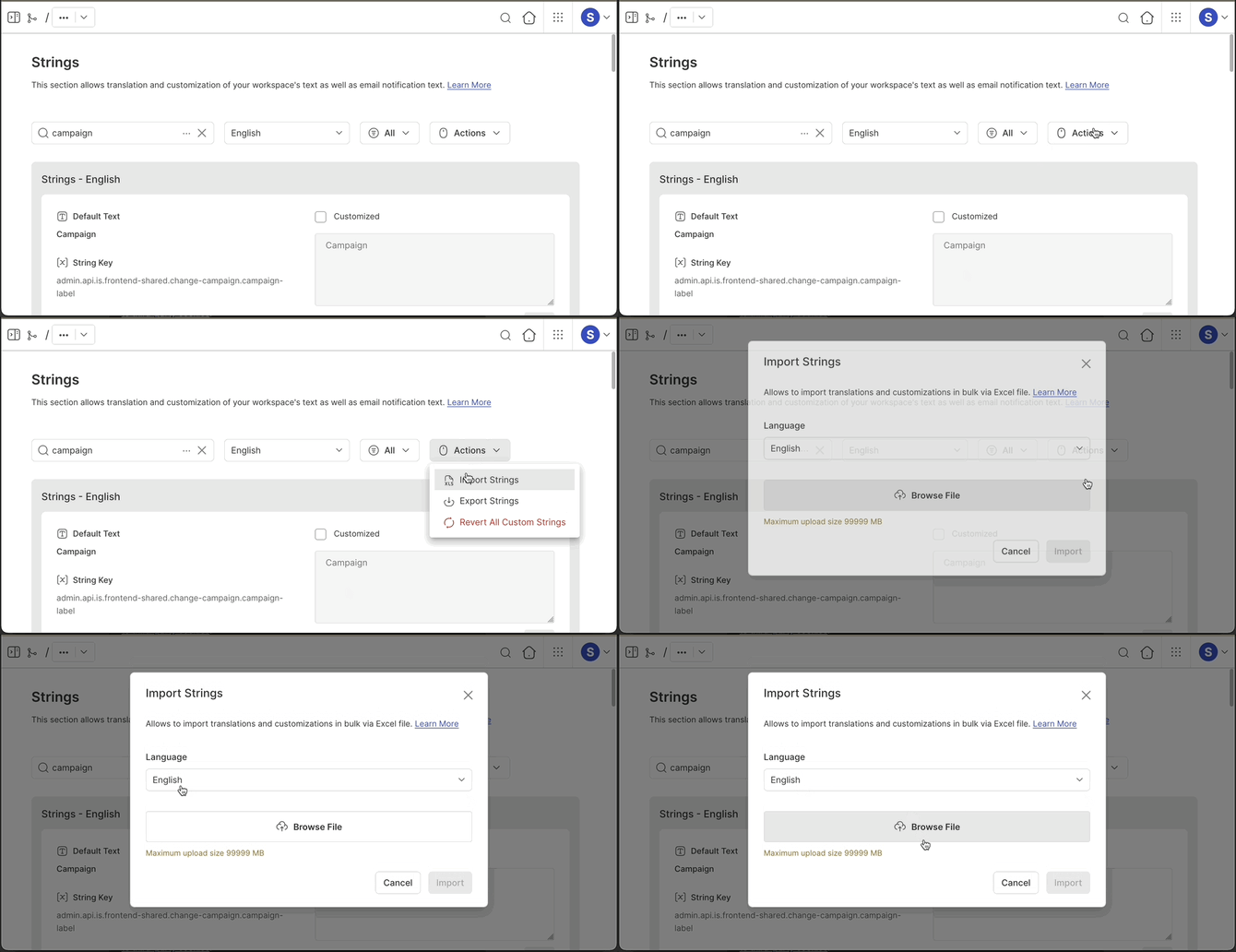
The Import Strings option allows a Workspace Administrator to import strings using an Excel sheet, simplifying the process of updating or customizing multiple community or email notification strings at once.
Help Article on Import Strings.
Export Strings
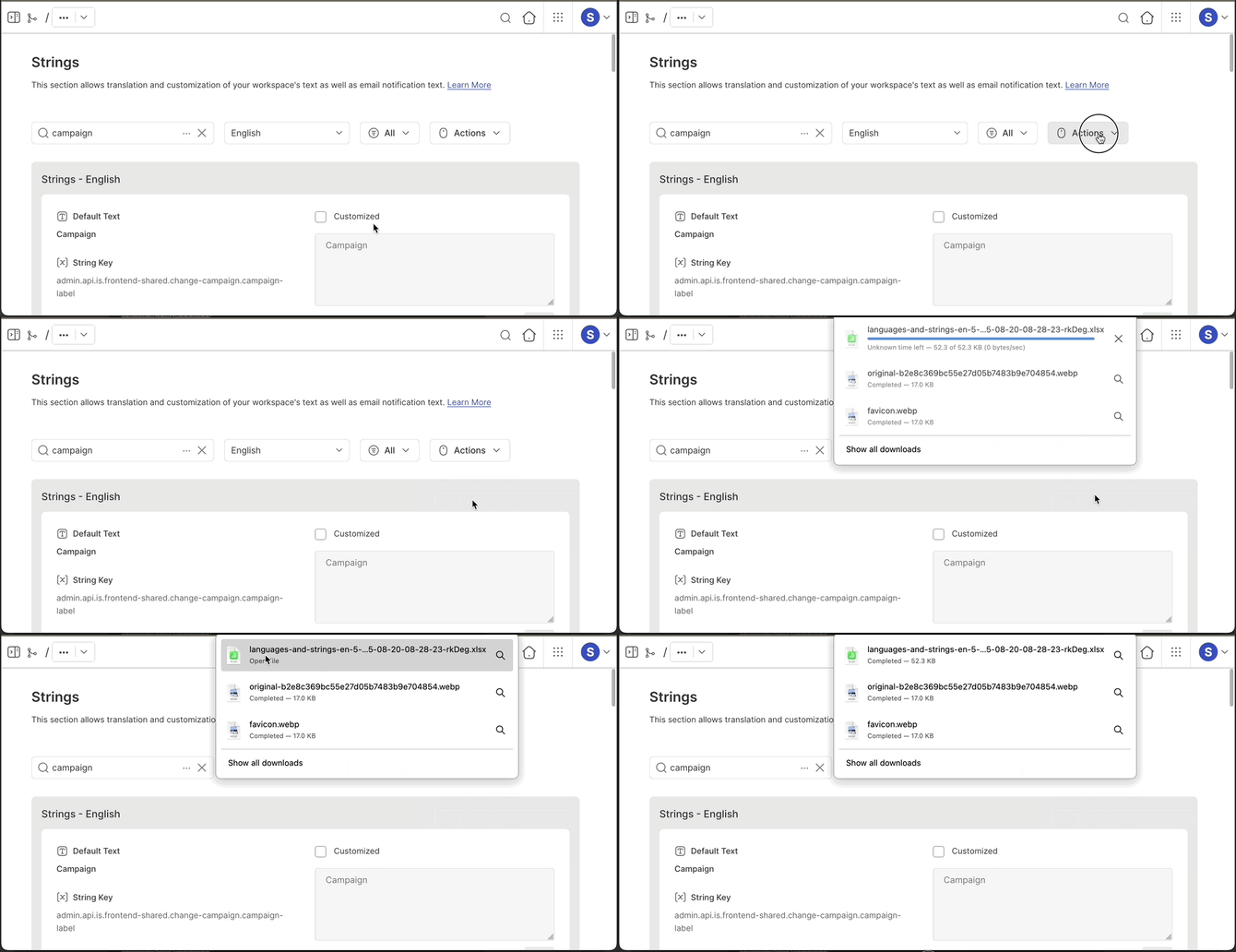
The Export Strings option allows a Workspace Administrator to export all community strings to an Excel sheet, which can then be used as a template for the Import Strings option.
Revert All Custom Strings
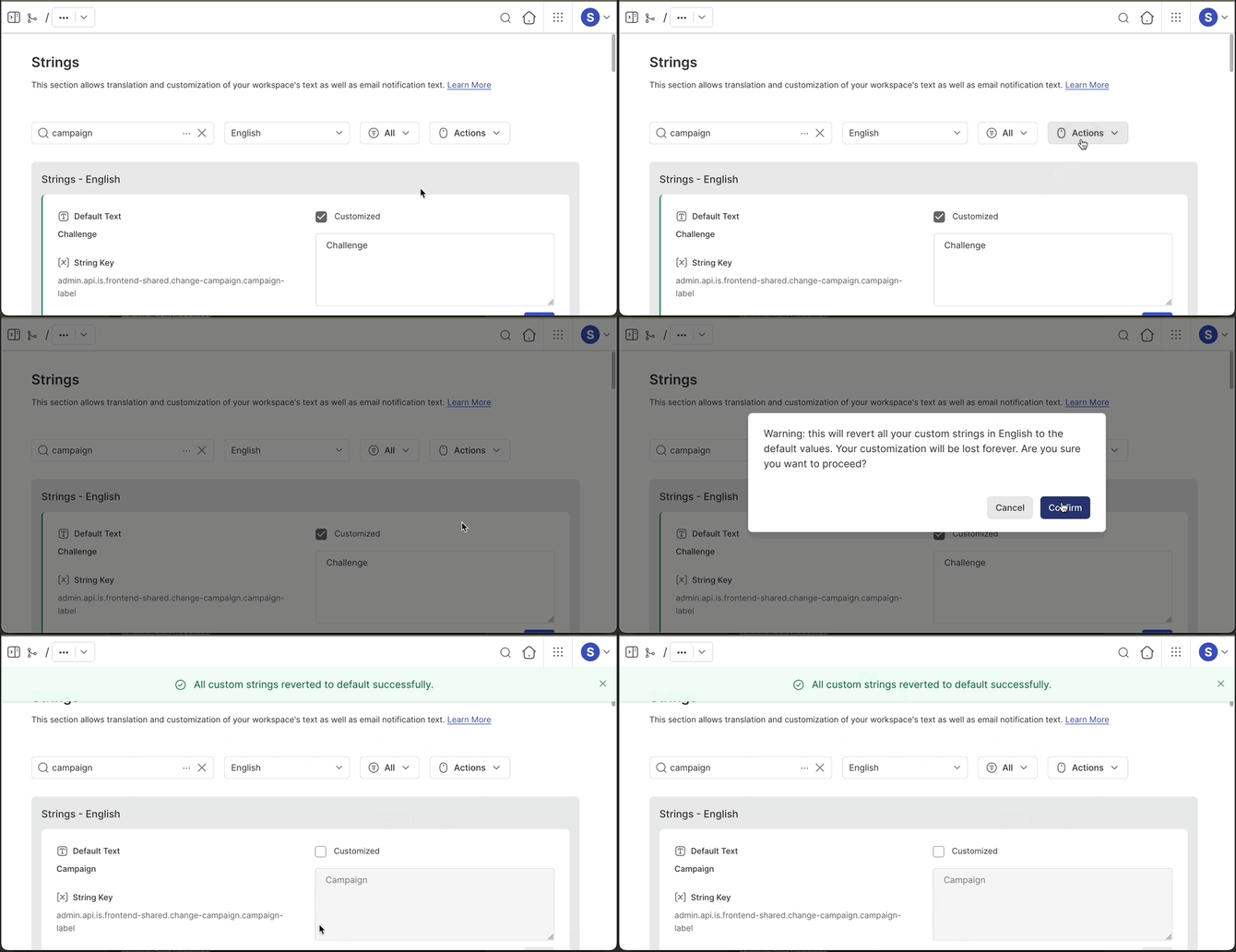
The Revert All Custom Strings option allows a Workspace Administrator to revert every customized string in the community back to its default language and text.
Frequently Asked Questions
What is the difference between the Import Strings and Export Strings options?
Export Strings generates an Excel sheet containing all community strings, which can be used as a template. Import Strings then allows that Excel sheet to be uploaded to update or customize multiple strings at once, rather than editing them individually through the search feature.
Can a single customized string be reverted without affecting others?
Yes. Clearing the Customized checkbox for an individual string in the Search Strings section reverts only that string to its original text. The Revert All Custom Strings option is used to revert every customized string at once.
How can a customized string be identified in the Search Strings list?
A customized string is denoted by a green line border on the left of the string in the list.
Related Articles